
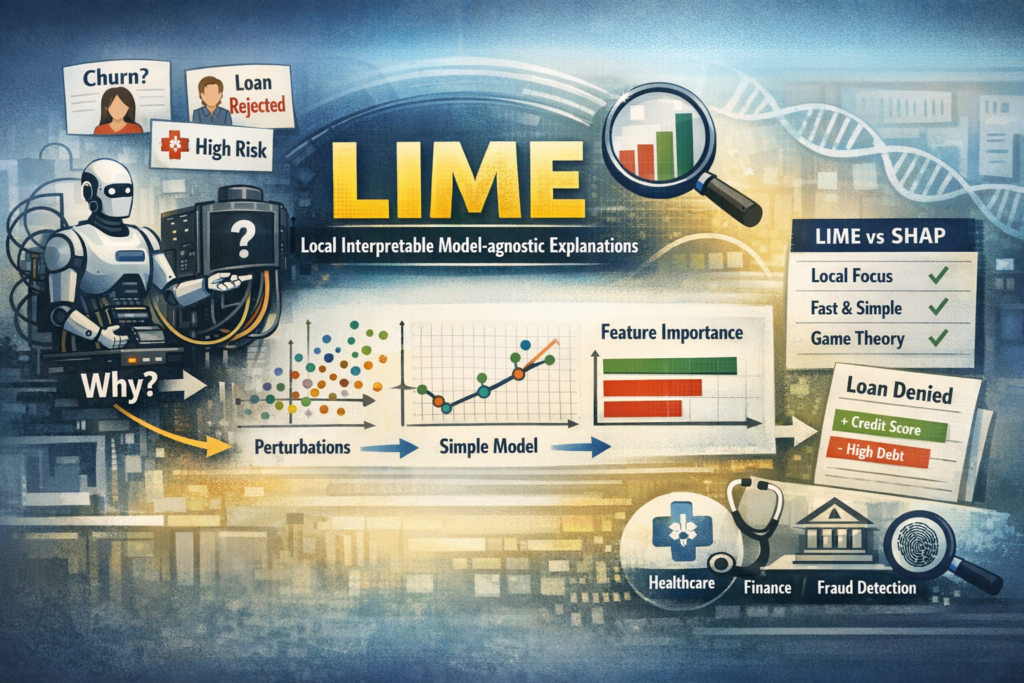
1. Why Do We Need LIME?
Imagine this situation:
Your ML model predicts:
-
A customer will churn
-
A loan application will be rejected
-
A medical patient has high risk
The first question stakeholders ask:
“Why did the model make this prediction?”
Accuracy is not enough anymore.
Modern ML systems require:
-
 Transparency
 -
Trust
-
Fairness
-
Debugging capability
This is where LIME (Local Interpretable Model-agnostic Explanations) becomes powerful.
2. What is LIME?
LIME = Local Interpretable Model-agnostic Explanations
Let’s break that down:
-
Local → Explains one prediction at a time
-
Interpretable → Uses simple models (like linear regression)
-
Model-agnostic → Works with any ML model
You can use LIME with:
-
Logistic Regression
-
Random Forest
-
XGBoost
-
Neural Networks
-
Any black-box model
3. Core Intuition (Simple Explanation)
Imagine your complex ML model is like a rocket engine
You cannot understand its full internal mechanics.
But for a single prediction, you can approximate it locally using a simple model.
LIME does exactly this:
-
Pick one data point
-
Create small variations (perturbations) around it
-
Get predictions from the black-box model
-
Fit a simple interpretable model around that local region
-
Show feature contributions
So instead of explaining the entire model, LIME explains:
“Why did the model predict THIS for THIS particular instance?”
4. How LIME Works (Step-by-Step)
Here is the workflow:
Step 1: Select an instance
Example:
-
Customer age = 55
-
Salary = 30,000
-
Tenure = 2 years
Prediction: Churn = Yes
Step 2: Create Perturbations
LIME slightly modifies values:
-
Age = 53, 56, 52
-
Salary = 28k, 32k
-
Tenure = 1, 3
It creates many synthetic samples around that point.
Step 3: Get Predictions
The original model predicts outcomes for all perturbed samples.
Step 4: Weight Samples by Proximity
Points closer to the original instance get higher importance.
This ensures it’s truly a local explanation.
Step 5: Fit a Simple Model
Usually a:
-
Linear Regression
-
Sparse Linear Model
This local model approximates the complex model.
Step 6: Show Feature Contributions
It outputs:
-
Positive contributing features
-
Negative contributing features
-
Feature importance values
5. Visualizing LIME Output
LIME typically produces a horizontal bar chart:
-
Green → Positive contribution
-
Red → Negative contribution
Example interpretation:
| Feature | Contribution |
|---|---|
| Low Salary | +0.32 |
| Short Tenure | +0.25 |
| High Age | -0.10 |
Meaning:
-
Low salary increases churn probability
-
Short tenure increases churn probability
-
Higher age reduces churn probability
6. Mathematical Idea (Simplified)
LIME minimizes this objective:
[
Loss(f, g, π_x) + Ω(g)
]
Where:
-
f = Complex model
-
g = Simple interpretable model
-
π_x = Proximity measure
-
Ω(g) = Complexity penalty
In simple words:
Find a simple model that behaves like the complex model near a specific point.
7. Practical Implementation (Python Example)
Let’s see how students can implement this.
Install LIME
pip install lime
Example: Classification with Random Forest
import numpy as np
import pandas as pd
from sklearn.datasets import load_breast_cancer
from sklearn.model_selection import train_test_split
from sklearn.ensemble import RandomForestClassifier
from lime.lime_tabular import LimeTabularExplainer

# Load dataset
data = load_breast_cancer()
X = data.data
y = data.target
feature_names = data.feature_names

# Train-test split
X_train, X_test, y_train, y_test = train_test_split(X, y, test_size=0.2, random_state=42)

# Train model
model = RandomForestClassifier()
model.fit(X_train, y_train)

# Create LIME explainer
explainer = LimeTabularExplainer(
    X_train,
    feature_names=feature_names,
    class_names=data.target_names,
    mode='classification'
)

# Pick instance
i = 10
exp = explainer.explain_instance(
    X_test[i],
    model.predict_proba,
    num_features=5
)

# Show explanation
exp.show_in_notebook()
8. How to Interpret LIME Results
When students see output:
-
Positive bars → Increase probability of predicted class
-
Negative bars → Decrease probability
-
Larger magnitude → Stronger influence
Ask these questions:
-
Do top features make domain sense?
-
Are there suspicious features?
-
Is the model relying too much on one feature?
-
Any signs of bias?
9. LIME vs SHAP (Important for Interviews)
| Feature | LIME | SHAP |
|---|---|---|
| Explanation Type | Local | Local + Global |
| Theoretical Base | Local approximation | Game theory |
| Speed | Faster | Slower |
| Stability | Less stable | More stable |
| Additivity | Not guaranteed | Guaranteed |
Interview Tip:
LIME explains locally using surrogate models, while SHAP distributes feature contributions based on Shapley values.
10. Limitations of LIME
Students must know the drawbacks:
-
Results may vary across runs
-
Sensitive to perturbation strategy
-
Only local — does not give global understanding
-
Can be unstable for high-dimensional data
Important Insight:
LIME explains what the model learned, not whether it is correct.
11. When Should You Use LIME?
Use LIME when:
-
Explaining individual predictions
-
Debugging black-box models
-
Presenting results to business teams
-
Building trust in AI systems
-
Detecting bias
Especially useful in:
-
Healthcare
-
Finance
-
Fraud detection
-
Customer churn models
12. Real-World Use Case
Example: Loan Approval Model
Prediction: Loan Rejected
LIME shows:
-
Low credit score → +0.45
-
High existing debt → +0.30
-
Stable job → -0.15
Now business team can:
-
Explain to customer
-
Improve fairness
-
Validate model logic
LIME helps you:
 Explain individual predictions Understand black-box models Build interpretable AI Debug feature importance Prepare for ML interviews
Core Concept:
LIME approximates a complex model locally with a simple interpretable model.
In 2026 and beyond:
Building ML models is easy.
Explaining ML models is powerful.
If you can explain your model clearly,
you are no longer just a Data Scientist —
You become a Responsible AI Engineer.