
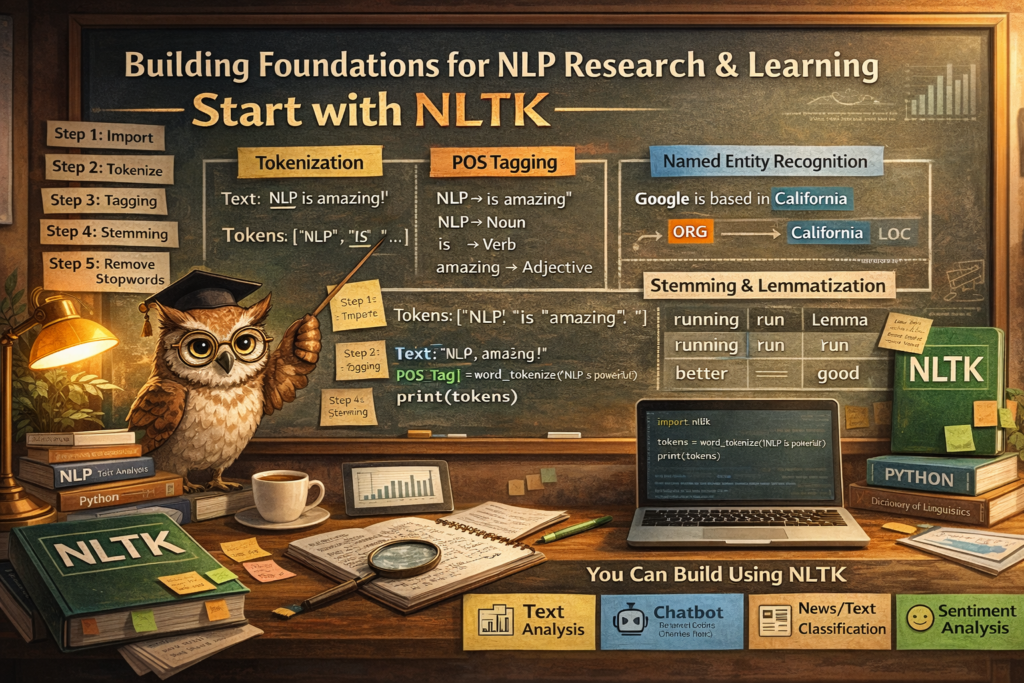
Building Foundations for NLP Research and Learning
Why Learn NLP with NLTK?
When students begin their journey into Natural Language Processing (NLP), they need a tool that helps them:
 Understand concepts clearly Experiment with text step by step Learn how language is structured Build intuition before jumping into production tools
This is exactly where NLTK (Natural Language Toolkit) becomes powerful.
 It is not just a library—it is a learning platform for NLP.
What is NLTK?
NLTK (Natural Language Toolkit) is a Python library designed for:
Teaching NLP concepts Linguistic research Text processing experimentation
It provides:
Easy-to-use APIs
Pre-built datasets (corpora)
Linguistic tools
Educational resources
Unlike modern libraries like spaCy, NLTK focuses more on:
Understanding “how NLP works internally”
Core NLP Tasks in NLTK
Let’s break down the most important building blocks:
Tokenization (Breaking Text into Pieces)
Tokenization splits text into smaller units:
Words
Sentences
Example:
Text: "NLP is amazing!"
Tokens: ["NLP", "is", "amazing", "!"]
This is the first step in every NLP pipeline
Part-of-Speech (POS) Tagging
Assigns grammatical roles:
Noun
Verb
Adjective
Example:
"NLP is amazing"

NLP → Noun
is → Verb
amazing → Adjective
Helps machines understand sentence structure
Named Entity Recognition (NER)
Identifies real-world entities:
Person names
Locations
Organizations
Example:
"Google is based in California"

Google → Organization
California → Location
Stemming & Lemmatization
Reduces words to base form:
| Word | Stem | Lemma |
|---|---|---|
| running | run | run |
| better | better | good |
Important for text normalization
Stopword Removal
Removes common words:
is, the, and, in
Helps focus on meaningful content
NLTK Workflow (Step-by-Step)
Here’s how NLP typically works using NLTK:
Step 1: Import Library
import nltk
Step 2: Download Resources
nltk.download('punkt')
nltk.download('averaged_perceptron_tagger')
Step 3: Tokenization
from nltk.tokenize import word_tokenize

text = "NLP is powerful"
tokens = word_tokenize(text)
print(tokens)
Step 4: POS Tagging
from nltk import pos_tag

print(pos_tag(tokens))
Step 5: Stopword Removal
from nltk.corpus import stopwords

stop_words = set(stopwords.words('english'))
filtered = [w for w in tokens if w not in stop_words]
Step 6: Stemming
from nltk.stem import PorterStemmer

stemmer = PorterStemmer()
print([stemmer.stem(w) for w in tokens])
What You Can Build Using NLTK
Even though it’s educational, you can still build:
Text Analyzer
Word frequency
Keyword extraction
Sentence structure
Chatbot (Rule-Based)
Pattern matching
Intent recognition (basic)
News/Text Classifier
Categorize text (sports, politics, tech)
Sentiment Analysis (Basic)
Positive / Negative classification
Why NLTK is Important for Students
Most beginners make a mistake:
They jump directly to advanced tools (spaCy, transformers)
Without understanding:
Tokenization logic
Grammar structure
Text normalization
Linguistic rules
NLTK helps you:
Build strong fundamentals Understand what happens behind the scenes Debug NLP systems better
NLTK vs Modern NLP Libraries
| Feature | NLTK | spaCy |
|---|---|---|
| Purpose | Learning & Research | Production |
| Speed | Slower | Very Fast |
| Ease | Beginner-friendly | Developer-friendly |
| Control | High (manual) | Automated pipeline |
Think of NLTK as:
 “Learning engine”
 spaCy as “Production engine”
Best Way to Learn NLTK
For your students, follow this approach:
 Start with Basics
Tokenization
POS tagging
Stopwords
Move to Processing
Stemming
Lemmatization
Frequency analysis
Build Mini Projects
Text summarizer
Spam classifier
Chatbot
Then Upgrade
Move to:
spaCy
Transformers
LLMs
NLTK is not just a library.
It is your foundation for NLP thinking.
If you master NLTK:
You understand how language is processed You can debug complex NLP pipelines You can transition to advanced AI tools easily
If you want to truly understand NLP:
Start with NLTK
Build intuition
Then move to real-world tools
Happy Learning!