
Introduction
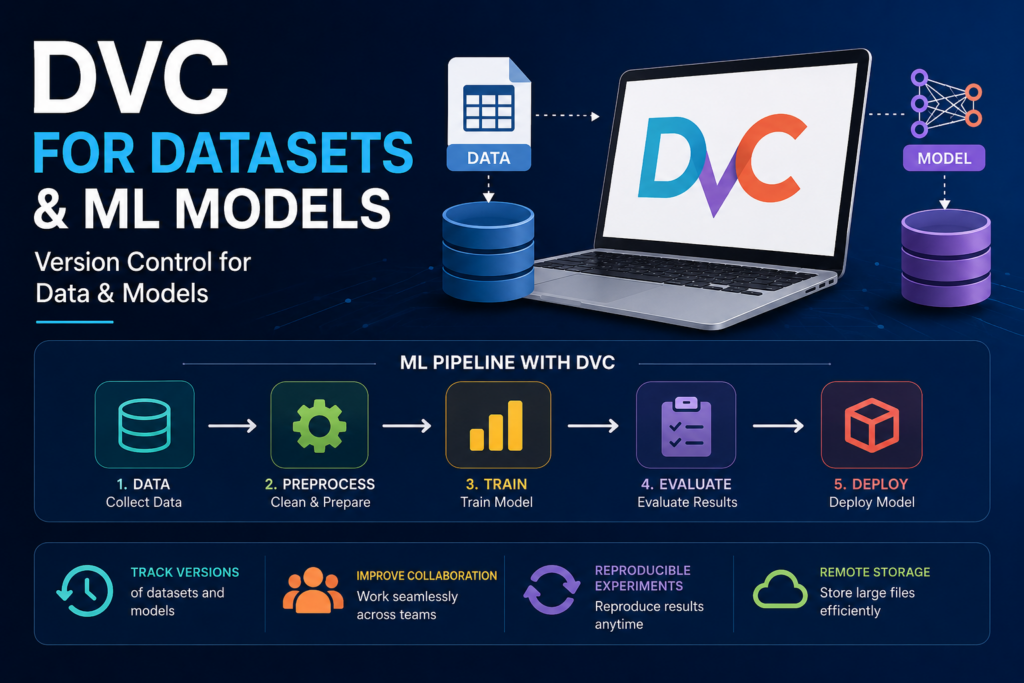
Building a Machine Learning model is not just about writing code. A typical ML project involves:
-
Collecting datasets
-
Cleaning and transforming data
-
Training models
-
Evaluating results
-
Experimenting with different configurations
-
Deploying models
One of the biggest challenges in Machine Learning projects is tracking datasets and model versions.
Imagine:
-
Version 1 of your model gives 85% accuracy.
-
Version 2 gives 92% accuracy.
-
After two months, your manager asks:
“Which dataset was used to train Version 2?”
Most teams struggle to answer this question because datasets and models are often stored manually in folders like:
dataset_final.csv
dataset_final_v2.csv
dataset_final_latest.csv
model_final.pkl
model_final_latest.pkl
This quickly becomes confusing and difficult to manage.
To solve this problem, Machine Learning engineers use DVC (Data Version Control).
What is DVC?
DVC (Data Version Control) is an open-source tool that helps manage:
-
Datasets
-
Machine Learning Models
-
Experiments
-
Pipelines
just like Git manages source code.
Think of DVC as:
| Git | DVC |
|---|---|
| Version controls code | Version controls data |
| Tracks source files | Tracks datasets |
| Tracks code changes | Tracks model changes |
| Supports collaboration | Supports ML collaboration |
DVC works alongside Git and extends Git’s capabilities for Machine Learning projects.
Why Do We Need DVC?
Traditional software projects mainly deal with source code.
Example:
app.py
login.py
database.py
Git handles these files perfectly.
However ML projects contain:
dataset.csv
images/
videos/
trained_model.pkl
These files may be:
-
Several GBs
-
Hundreds of GBs
-
Constantly changing
Git is not designed to handle large datasets efficiently.
DVC solves this problem by:
-
Tracking dataset versions
-
Tracking model versions
-
Storing large files externally
-
Reproducing experiments
-
Automating ML pipelines
Real-World Example
Suppose you are building a Loan Approval Prediction system.
Project structure:
LoanProject/

data/
    loan.csv

src/
    train.py
    predict.py

models/
    loan_model.pkl
Month 1:
Dataset Version 1
Accuracy = 84%
Month 2:
Dataset Version 2
Accuracy = 90%
Month 3:
Dataset Version 3
Accuracy = 93%
Without DVC:
-
Hard to know which dataset produced which model.
-
Difficult to reproduce results.
With DVC:
Everything is versioned and traceable.
Installing DVC
Install using pip:
pip install dvc
Verify installation:
dvc --version
Initializing DVC
Create project:
mkdir LoanProject
cd LoanProject
Initialize Git:
git init
Initialize DVC:
dvc init
Output:
Initialized DVC repository.
Project structure becomes:
LoanProject/

.dvc/
.dvcignore
.git/
Commit changes:
git add .
git commit -m "Initialize DVC"
Adding a Dataset to DVC
Suppose dataset:
data/loan.csv
Add dataset:
dvc add data/loan.csv
DVC creates:
loan.csv.dvc
Example:
data/
    loan.csv
    loan.csv.dvc
The .dvc file stores metadata about the dataset.
How DVC Stores Files
When you run:
dvc add data/loan.csv
DVC:
-
Calculates file hash
-
Stores file in DVC cache
-
Creates tracking file
Example:
.dvc/cache/
Git tracks:
loan.csv.dvc
instead of:
loan.csv
This keeps Git repositories lightweight.
Tracking Dataset Versions
Initial dataset:
1000 records
Commit:
git add .
git commit -m "Dataset version 1"
Later dataset updated:
2000 records
Run:
dvc add data/loan.csv

git add .
git commit -m "Dataset version 2"
Now you can restore any dataset version.
Restoring Older Dataset Versions
Checkout older Git commit:
git checkout commit_id
Restore data:
dvc checkout
Dataset automatically returns to that version.
This is extremely useful for reproducibility.
Tracking Machine Learning Models
Suppose model:
models/loan_model.pkl
Track model:
dvc add models/loan_model.pkl
Commit:
git add .
git commit -m "Model version 1"
Every model version becomes traceable.
DVC Remote Storage
Datasets can become huge.
Instead of storing them inside Git:
Store them remotely.
Supported storage:
-
AWS S3
-
Google Cloud Storage
-
Azure Blob Storage
-
SSH Server
-
NAS
-
Local Shared Storage
Example:
dvc remote add storage s3://mybucket/dvcstore
Set default:
dvc remote default storage
Push data:
dvc push
Now:
Git → Metadata
S3 → Actual Data
Pulling Data
Another developer clones project:
git clone project_url
Then:
dvc pull
DVC downloads datasets and models automatically.
This makes team collaboration much easier.
What are DVC Pipelines?
Machine Learning projects involve multiple stages.
Example:
Raw Data
    ↓
Preprocessing
    ↓
Feature Engineering
    ↓
Training
    ↓
Evaluation
    ↓
Deployment
DVC can automate this entire workflow.
This is called a Pipeline.
Creating a Pipeline Stage
Suppose:
# preprocess.py
creates:
clean_data.csv
Create pipeline stage:
dvc stage add \
-n preprocess \
-d data/raw.csv \
-d preprocess.py \
-o data/clean.csv \
python preprocess.py
Explanation:
| Parameter | Meaning |
|---|---|
| -n | Stage Name |
| -d | Dependency |
| -o | Output |
| Command | Execution command |
Training Stage
Example:
dvc stage add \
-n train \
-d data/clean.csv \
-d train.py \
-o models/model.pkl \
python train.py
Pipeline becomes:
Raw Data
      ↓
Preprocess
      ↓
Train
      ↓
Model
Pipeline Configuration File
DVC creates:
dvc.yaml
Example:
stages:
  preprocess:
    cmd: python preprocess.py
    deps:
      - data/raw.csv
      - preprocess.py
    outs:
      - data/clean.csv

  train:
    cmd: python train.py
    deps:
      - data/clean.csv
      - train.py
    outs:
      - models/model.pkl
This file defines the complete ML workflow.
Running Pipelines
Execute pipeline:
dvc repro
DVC automatically:
-
Detects changes
-
Runs affected stages
-
Skips unchanged stages
Example:
Raw Data changed
DVC reruns:
Preprocess
Train
but skips everything else.
Experiment Tracking in DVC
One of the most powerful features.
Example:
Training:
python train.py
Accuracy:
89%
Try another parameter:
learning_rate = 0.01
Accuracy:
92%
Save experiment:
dvc exp run
List experiments:
dvc exp show
Example:
| Experiment | Accuracy |
|---|---|
| exp1 | 89% |
| exp2 | 92% |
| exp3 | 94% |
You can compare experiments easily.
AutoML + DVC
AutoML tools generate many models automatically.
Examples:
-
Auto-Sklearn
-
H2O AutoML
-
TPOT
-
PyCaret
-
FLAML
Typical AutoML workflow:
Dataset
    ↓
AutoML
    ↓
100+ Models Tested
    ↓
Best Model Selected
DVC helps by:
-
Tracking datasets used
-
Tracking AutoML experiments
-
Tracking generated models
-
Reproducing best-performing pipeline
This creates a reliable and auditable AutoML system.
Example AutoML Workflow with DVC
Dataset v1
      ↓
DVC
      ↓
AutoML Training
      ↓
Model Selection
      ↓
Best Model
      ↓
DVC Tracking
      ↓
Deployment
Benefits:
-
Full reproducibility
-
Easy rollback
-
Team collaboration
-
Experiment management
Advantages of DVC
1. Dataset Versioning
Track every dataset version.
2. Model Versioning
Track every trained model.
3. Reproducibility
Recreate results anytime.
4. Team Collaboration
Share data efficiently.
5. Pipeline Automation
Automate ML workflows.
6. Experiment Tracking
Compare multiple runs.
7. Cloud Integration
Works with AWS, Azure, GCP.
8. AutoML Integration
Perfect companion for AutoML frameworks.
Limitations of DVC
Learning Curve
Requires understanding Git and ML workflows.
Additional Setup
Remote storage must be configured.
Storage Costs
Large datasets require cloud storage.
Team Discipline
All team members must follow versioning practices.
Best Practices
Keep Code in Git
git add src/
Keep Data in DVC
dvc add data/
Use Remote Storage
AWS S3
Azure
GCP
Track Every Experiment
dvc exp run
Build Pipelines
dvc repro
Avoid manual execution.
Interview Questions
Q1. What is DVC?
DVC is an open-source version control system for datasets, machine learning models, experiments, and pipelines.
Q2. Why is Git alone insufficient for ML projects?
Git is designed for source code and struggles with large datasets and model files. DVC extends Git to manage ML assets efficiently.
Q3. What file does DVC create when tracking a dataset?
filename.dvc
Q4. What command adds a file to DVC?
dvc add filename
Q5. What command reproduces a pipeline?
dvc repro
Q6. What command uploads data to remote storage?
dvc push
Q7. What command downloads data from remote storage?
dvc pull
Q8. How does DVC help AutoML projects?
DVC tracks datasets, experiments, and model versions, making AutoML workflows reproducible, collaborative, and production-ready.
As Machine Learning projects grow, managing datasets and models becomes just as important as writing algorithms. DVC brings software engineering discipline to ML by providing version control for data, models, experiments, and pipelines.
When combined with AutoML tools such as Auto-Sklearn, H2O AutoML, TPOT, and PyCaret, DVC enables teams to build reproducible, scalable, and production-ready Machine Learning systems. For any serious Data Science or MLOps project, learning DVC is an essential skill that bridges the gap between experimentation and real-world deployment.
Happy Learning!