
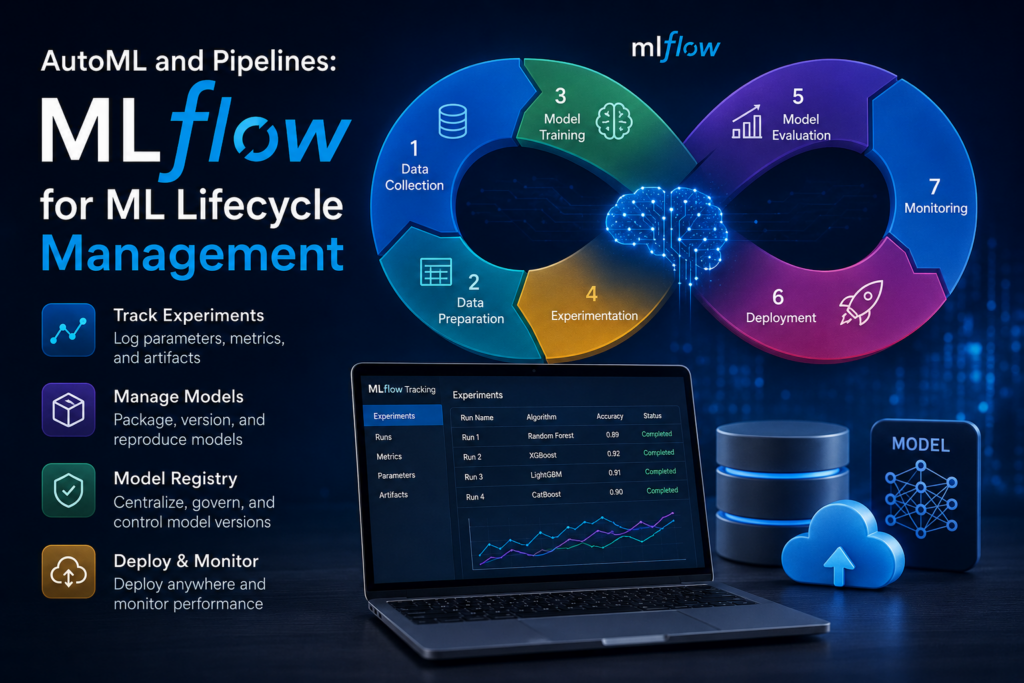
AutoML has simplified the process of building machine learning models, but managing the complete machine learning lifecycle remains a significant challenge. Data scientists often struggle with experiment tracking, model versioning, reproducibility, collaboration, and deployment. This is where MLflow comes into the picture.
MLflow is an open-source platform designed to manage the entire machine learning lifecycle—from experimentation and model development to deployment and monitoring. It helps teams organize machine learning projects, track experiments, reproduce results, and deploy models consistently across different environments.
What is MLflow?
MLflow is an open-source platform developed by Databricks that provides tools to manage the end-to-end machine learning lifecycle.
MLflow supports:
-
Experiment tracking
-
Model packaging
-
Model registry
-
Model deployment
-
Reproducibility
-
Collaboration among teams
Unlike AutoML tools that focus on model selection and hyperparameter tuning, MLflow focuses on managing and operationalizing machine learning projects.
Why Do We Need MLflow?
Imagine a team training hundreds of models.
Questions quickly arise:
-
Which model performed best?
-
What hyperparameters were used?
-
Which dataset version was used?
-
Can someone reproduce the results?
-
Which model is currently in production?
-
How do we roll back if a deployment fails?
Without proper lifecycle management:
-
Experiments become difficult to track.
-
Results are hard to reproduce.
-
Collaboration suffers.
-
Deployment becomes risky.
MLflow solves these challenges.
Machine Learning Lifecycle
A typical ML lifecycle consists of:
1. Data Collection
Gather data from:
-
Databases
-
APIs
-
CSV files
-
Data warehouses
2. Data Preparation
Tasks include:
-
Cleaning
-
Feature engineering
-
Transformation
-
Encoding
-
Scaling
3. Model Training
Build models using:
-
Scikit-learn
-
TensorFlow
-
PyTorch
-
XGBoost
-
LightGBM
4. Experimentation
Try different:
-
Algorithms
-
Hyperparameters
-
Feature combinations
5. Model Evaluation
Compare performance metrics:
-
Accuracy
-
Precision
-
Recall
-
F1 Score
-
ROC-AUC
6. Deployment
Deploy the model to:
-
Web applications
-
REST APIs
-
Cloud platforms
7. Monitoring
Track:
-
Prediction quality
-
Data drift
-
Model drift
-
Resource utilization
MLflow helps manage all these stages efficiently.
Core Components of MLflow
MLflow consists of four major components:
1. MLflow Tracking
Tracks machine learning experiments.
Stores:
-
Parameters
-
Metrics
-
Models
-
Artifacts
-
Source code information
Example
Suppose we train:
-
Random Forest
-
XGBoost
-
LightGBM
MLflow records:
| Run | Algorithm | Accuracy |
|---|---|---|
| 1 | Random Forest | 89% |
| 2 | XGBoost | 92% |
| 3 | LightGBM | 91% |
This allows easy comparison.
2. MLflow Projects
Provides a standard format for packaging ML code.
Benefits:
-
Reproducibility
-
Portability
-
Collaboration
A project contains:
project/
│
├── MLproject
├── conda.yaml
├── train.py
└── data.csv
Anyone can run the project using the same environment.
3. MLflow Models
Provides a standard format for packaging models.
Supported frameworks:
-
Scikit-learn
-
TensorFlow
-
PyTorch
-
XGBoost
-
ONNX
-
H2O
Example:
model/
│
├── MLmodel
├── model.pkl
└── conda.yaml
This makes deployment easier.
4. MLflow Model Registry
A centralized repository for managing models.
Stores:
-
Model versions
-
Approval status
-
Production models
-
Archived models
Example:
| Version | Stage |
|---|---|
| V1 | Archived |
| V2 | Staging |
| V3 | Production |
This ensures proper governance.
MLflow Architecture
Data Scientist
      |
      V
MLflow Tracking
      |
      V
Model Registry
      |
      V
Deployment
      |
      V
Production
All experiment metadata is stored centrally.
Installing MLflow
Install using pip:
pip install mlflow
Verify installation:
mlflow --version
Running MLflow UI
Start the tracking server:
mlflow ui
By default:
http://localhost:5000
The web dashboard allows you to:
-
View experiments
-
Compare runs
-
Analyze metrics
-
Download artifacts
Example: Experiment Tracking
Import Libraries
import mlflow
from sklearn.datasets import load_iris
from sklearn.ensemble import RandomForestClassifier
from sklearn.model_selection import train_test_split
from sklearn.metrics import accuracy_score
Load Data
data = load_iris()

X = data.data
y = data.target

X_train, X_test, y_train, y_test = train_test_split(
    X, y, test_size=0.2, random_state=42
)
Track Experiment
with mlflow.start_run():

    n_estimators = 100

    model = RandomForestClassifier(
        n_estimators=n_estimators
    )

    model.fit(X_train, y_train)

    predictions = model.predict(X_test)

    accuracy = accuracy_score(
        y_test,
        predictions
    )

    mlflow.log_param(
        "n_estimators",
        n_estimators
    )

    mlflow.log_metric(
        "accuracy",
        accuracy
    )

    mlflow.sklearn.log_model(
        model,
        "random_forest_model"
    )

    print("Accuracy:", accuracy)
What Gets Logged?
MLflow automatically stores:
Parameters
n_estimators = 100
Metrics
accuracy = 0.97
Artifacts
model.pkl
Source Information
Training code
Everything becomes searchable.
Logging Multiple Experiments
Example:
for n in [10, 50, 100, 200]:

    with mlflow.start_run():

        model = RandomForestClassifier(
            n_estimators=n
        )

        model.fit(X_train, y_train)

        accuracy = model.score(
            X_test,
            y_test
        )

        mlflow.log_param(
            "trees",
            n
        )

        mlflow.log_metric(
            "accuracy",
            accuracy
        )
MLflow automatically compares all runs.
Model Registry Example
Register a model:
mlflow.register_model(
    model_uri,
    "IrisClassifier"
)
Now MLflow creates:
IrisClassifier
    Version 1
Future versions can be added.
MLflow and AutoML
MLflow integrates seamlessly with AutoML tools:
| AutoML Tool | MLflow Integration |
|---|---|
| Auto-Sklearn | Yes |
| H2O AutoML | Yes |
| TPOT | Yes |
| PyCaret | Yes |
| Databricks AutoML | Native |
| AutoGluon | Yes |
Benefits:
-
Track all AutoML experiments
-
Store best models
-
Compare multiple runs
-
Deploy winning models
Example: AutoML + MLflow Workflow
Dataset
   |
   V
AutoML Search
   |
   V
100 Candidate Models
   |
   V
MLflow Tracking
   |
   V
Best Model Selected
   |
   V
Model Registry
   |
   V
Deployment
This creates a fully automated ML pipeline.
Model Deployment with MLflow
MLflow supports deployment as:
Local REST API
mlflow models serve -m model_path
Docker Container
mlflow models build-docker
Cloud Platforms
-
AWS
-
Azure
-
GCP
-
Databricks
-
Kubernetes
Reproducibility in MLflow
One of MLflow’s biggest advantages is reproducibility.
It records:
-
Code version
-
Parameters
-
Environment
-
Dependencies
-
Model artifacts
This allows another team member to reproduce results exactly.
Collaboration Benefits
MLflow enables:
Team Collaboration
Everyone can view experiments.
Centralized Tracking
No more scattered spreadsheets.
Version Control
Models evolve systematically.
Auditability
Complete experiment history.
Real-World Use Cases
Healthcare
Track disease prediction models.
Finance
Manage fraud detection systems.
E-Commerce
Deploy recommendation engines.
Manufacturing
Monitor predictive maintenance models.
Software Testing
Track AI-powered defect prediction models.
Advantages of MLflow
Open Source
Free to use.
Framework Agnostic
Works with most ML frameworks.
Easy Integration
Simple API.
Reproducibility
Recreate experiments easily.
Deployment Support
Multiple deployment options.
Model Governance
Central model registry.
Limitations of MLflow
Not an AutoML Tool
It manages models but does not automatically select them.
Requires Infrastructure
Large deployments need backend storage.
Learning Curve
Understanding registry and deployment workflows takes time.
MLflow vs AutoML Tools
| Feature | MLflow | AutoML |
|---|---|---|
| Experiment Tracking |  |
Limited |
| Hyperparameter Search |  |
|
| Model Selection | |
|
| Model Registry | |
Limited |
| Deployment Support | |
Partial |
| Lifecycle Management | |
Limited |
| Reproducibility | |
Partial |
Best Practices for Using MLflow
-
Log every experiment.
-
Use meaningful run names.
-
Track dataset versions.
-
Register production-ready models.
-
Store artifacts consistently.
-
Integrate with CI/CD pipelines.
-
Monitor deployed models.
-
Maintain model version history.
MLflow has become one of the most important tools in modern Machine Learning Operations (MLOps). While AutoML tools focus on automatically building models, MLflow focuses on managing the entire machine learning lifecycle. It enables experiment tracking, reproducibility, model versioning, deployment, and collaboration in a structured and scalable manner.
When combined with AutoML tools such as Auto-Sklearn, TPOT, H2O AutoML, or PyCaret, MLflow creates a powerful ecosystem where models are not only built automatically but are also tracked, governed, deployed, and maintained efficiently. For organizations moving machine learning projects from experimentation to production, MLflow is often a foundational component of a successful MLOps strategy.
Happy Learning!