
Machine Learning is transforming industries across the world—from healthcare and finance to e-commerce and automation. But building high-quality ML models traditionally requires:
 Strong programming knowledge Understanding of algorithms Feature engineering skills Hyperparameter tuning expertise Significant experimentation time
This is where H2O.ai becomes extremely powerful.
H2O.ai provides an open-source machine learning platform that simplifies the entire ML workflow and offers powerful AutoML capabilities for building high-performing models automatically.
What is H2O.ai?
H2O.ai is an open-source Artificial Intelligence and Machine Learning platform designed for:
Data Scientists
ML Engineers
Analysts
Developers
Enterprises
It helps users build, train, evaluate, and deploy machine learning models efficiently.
One of its biggest strengths is H2O AutoML, which automatically trains and compares multiple machine learning models to find the best one.
Key Features of H2O.ai
Open Source Platform
H2O.ai is free and open-source, making it accessible for:
Students
Researchers
Startups
Enterprises
It supports distributed computing and can handle very large datasets efficiently.
AutoML Support
The AutoML system automatically:
Selects algorithms
Tunes hyperparameters
Trains multiple models
Creates stacked ensembles
Ranks models by performance
This dramatically reduces manual work.
High Performance
H2O is optimized for speed and scalability.
It can work with:
Large datasets
Multi-core CPUs
Distributed clusters
Cloud environments
Multiple Language Support
H2O supports:
Python
R
Java
Scala
This flexibility makes it popular across different development ecosystems.
What is H2O AutoML?
H2O AutoML automates the machine learning pipeline.
Instead of manually trying different algorithms, AutoML performs the experimentation automatically.
The process includes:
Data preprocessing
Model training
Hyperparameter tuning
Cross-validation
Model ranking
Ensemble creation
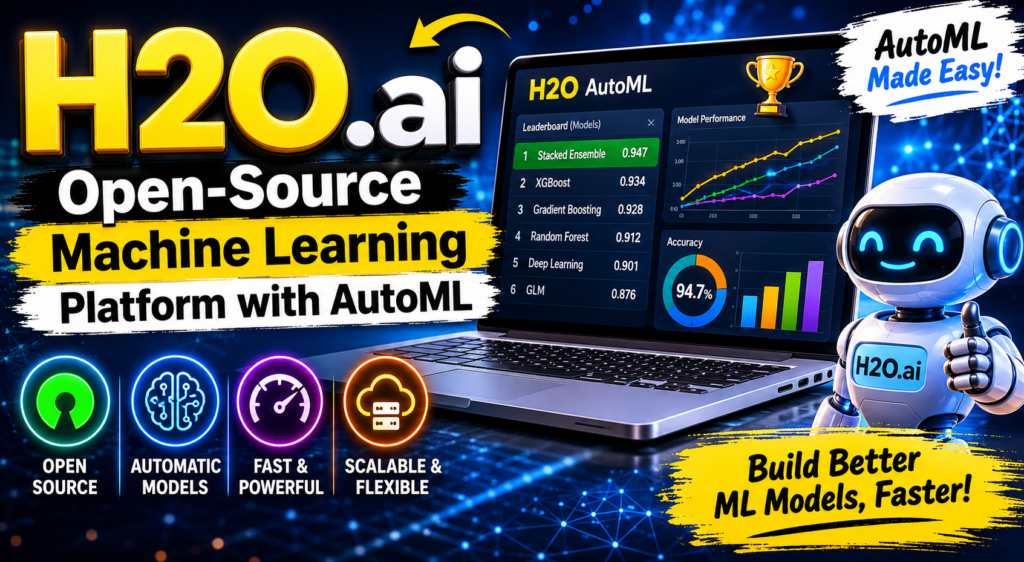
The final result is a leaderboard showing the best-performing models.
How H2O AutoML Works
Step 1: Load Dataset
You first provide a dataset to H2O.
Example:
import h2o
from h2o.automl import H2OAutoML

h2o.init()

data = h2o.import_file("data.csv")
Step 2: Define Features and Target
Example:
x = data.columns[:-1]
y = "target"
Step 3: Split Data
train, test = data.split_frame(ratios=[0.8])
Step 4: Run AutoML
aml = H2OAutoML(max_models=10, seed=1)

aml.train(x=x, y=y, training_frame=train)
This automatically trains multiple ML models.
Algorithms Used by H2O AutoML
H2O AutoML can train several algorithms automatically.
Gradient Boosting Machines (GBM)
Powerful tree-based boosting models.
Random Forest
Ensemble learning using multiple decision trees.
XGBoost
Advanced boosting algorithm with excellent performance.
Deep Learning Models
Neural networks for complex datasets.
Generalized Linear Models (GLM)
Useful for regression and classification problems.
Stacked Ensembles
Combines multiple models to improve overall performance.
This is often the best-performing model in H2O AutoML.
Viewing the Leaderboard
One of the best features of H2O AutoML is the leaderboard.
Example:
leaderboard = aml.leaderboard
print(leaderboard)
The leaderboard ranks models based on metrics such as:
Accuracy
AUC
RMSE
Log Loss
depending on the problem type.
Example Workflow
Imagine you are predicting whether customers will leave a subscription service.
Without AutoML, you would manually:
Train Logistic Regression
Train Random Forest
Tune XGBoost
Compare results
Tune hyperparameters again
This could take days.
With H2O AutoML:
aml = H2OAutoML(max_runtime_secs=3600)
aml.train(x=x, y=y, training_frame=train)
H2O automatically handles the experimentation process.
Benefits of H2O.ai
Faster Model Development
Reduces weeks of experimentation to hours or minutes.
Beginner Friendly
Students can build strong ML models without deep expertise.
Powerful for Experts
Advanced users can customize and optimize workflows.
Automatic Hyperparameter Tuning
No need to manually test every parameter combination.
Ensemble Learning
Automatically creates highly accurate ensemble models.
Scalable
Works well for enterprise-scale machine learning.
H2O AutoML vs Traditional ML
| Traditional ML | H2O AutoML |
|---|---|
| Manual model selection | Automatic model selection |
| Manual tuning | Automatic tuning |
| Time-consuming | Faster workflow |
| Requires expertise | Beginner friendly |
| Separate experimentation | Unified pipeline |
Important Concepts in H2O.ai
Leader Model
The best-performing model selected by AutoML.
Example:
best_model = aml.leader
Cross Validation
H2O automatically validates models to reduce overfitting.
Feature Engineering
Some preprocessing and optimization are handled automatically.
Ensemble Models
Multiple models combined together for better predictions.
Real-World Applications of H2O.ai
H2O.ai is used in many industries.
Finance
Fraud detection
Credit scoring
Risk prediction
Healthcare
Disease prediction
Medical diagnosis support
Patient analytics
E-Commerce
Recommendation systems
Customer churn prediction
Demand forecasting
Automotive
Predictive maintenance
Autonomous systems
Marketing
Customer segmentation
Campaign optimization
Lead scoring
H2O.ai Ecosystem
H2O.ai offers multiple tools.
H2O AutoML
Automated machine learning.
Driverless AI
Commercial enterprise AutoML platform.
H2O Wave
Framework for building AI web applications.
Sparkling Water
Integration between H2O and Apache Spark.
Limitations of H2O AutoML
Even though H2O is powerful, it has some limitations.
 Less Control
Fully automated workflows may hide algorithm details.
Resource Intensive
Large experiments may require strong hardware.
Not a Replacement for ML Knowledge
Understanding data science concepts is still important.
AutoML helps automate tasks—but domain understanding remains critical.
Best Practices When Using H2O.ai
Clean Your Data
Good input data improves model quality.
Understand Your Problem
Classification and regression require different metrics.
Limit Runtime
Use parameters like:
max_runtime_secs
to control training time.
Evaluate Properly
Always test models on unseen data.
Interpret Results
Do not blindly trust AutoML outputs.
Understand why a model performs well.
Simple Example: Full H2O AutoML Workflow
import h2o
from h2o.automl import H2OAutoML

# Start H2O
h2o.init()

# Load data
data = h2o.import_file("data.csv")

# Define features and target
x = data.columns[:-1]
y = "target"

# Split data
train, test = data.split_frame(ratios=[0.8], seed=1)

# Run AutoML
aml = H2OAutoML(max_models=20, seed=1)

aml.train(x=x, y=y, training_frame=train)

# Show leaderboard
print(aml.leaderboard)

# Best model
best_model = aml.leader

# Predictions
predictions = best_model.predict(test)

print(predictions.head())
Why Students Should Learn H2O.ai
Learning H2O.ai helps students:
Understand AutoML concepts Build ML projects faster Experiment with multiple algorithms Learn ensemble techniques Gain practical industry skills Prepare for modern AI workflows
AutoML is becoming increasingly important in real-world machine learning systems.
H2O.ai is one of the most powerful open-source platforms for automated machine learning.
It simplifies the ML pipeline by automating:
Model selection
Hyperparameter tuning
Ensemble generation
Performance evaluation
For beginners, it provides an easy entry into machine learning.
For experts, it accelerates experimentation and large-scale model development.
As AI adoption continues to grow, tools like H2O.ai are making machine learning faster, smarter, and more accessible to everyone.
Happy Learning!