
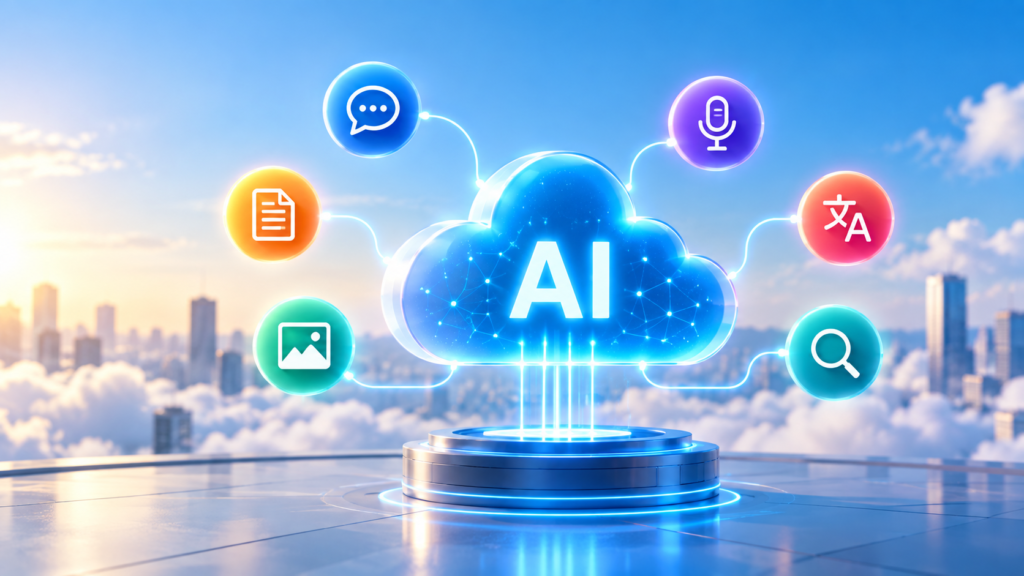
Artificial Intelligence is no longer limited to research laboratories or organizations with large teams of data scientists. Today, cloud platforms provide ready-to-use AI capabilities that developers can integrate directly into applications.
Microsoft Azure is one of the major cloud platforms offering these capabilities.
With Azure’s AI ecosystem, developers can add features such as:
-
Speech recognition
-
Text-to-speech
-
Language understanding
-
Sentiment analysis
-
Translation
-
Image analysis
-
Document processing
-
Content moderation
-
Generative AI
-
AI-powered search
-
Intelligent agents
without necessarily building and training every machine learning model from scratch.
This approach is an important part of Cloud AI and Cloud-Native Machine Learning.
Important terminology update: Microsoft has recently reorganized and renamed parts of its AI platform. What was previously called Azure AI Services is now generally presented as Foundry Tools, while Microsoft Foundry is the broader platform that brings together models, agents, tools, evaluation, monitoring, security, and other AI development capabilities. Students will still encounter the term Azure AI Services in existing courses, documentation, certifications, and applications.
What is Cloud AI?
Cloud AI refers to artificial intelligence capabilities delivered through cloud computing platforms.
Traditionally, if an organization wanted to build an image recognition system, it might need to:
Collect a large dataset.
Prepare and label the images.
Choose a machine learning algorithm.
Train the model.
Purchase or configure computing infrastructure.
Deploy the model.
Build an API around it.
Monitor and maintain the system.
This can require considerable time, infrastructure, machine learning knowledge, and engineering effort.
Cloud AI provides another option.
Cloud providers operate AI infrastructure and expose many AI capabilities through APIs, SDKs, managed models, and cloud services.
The architecture can therefore become much simpler:
Application → Cloud AI API → AI Model → Result
For example, imagine that an application needs to determine whether a customer review is positive or negative.
Instead of developing a sentiment-analysis model from scratch, the application can send the text to a managed language service.
The service analyzes the text and returns a result that the application can use.
This allows software developers to incorporate machine learning capabilities without becoming specialists in every underlying AI model.
What Are Azure AI Services?
Azure AI Services was Microsoft’s umbrella term for a collection of cloud-based AI capabilities.
Today, Microsoft describes many of these pretrained capabilities as Foundry Tools.
These tools provide prebuilt and customizable APIs and models for common AI tasks. Microsoft currently lists capabilities including Speech, Translator, Language, Content Understanding, Document Intelligence, Vision, and Azure AI Search. Most can be accessed through REST APIs or SDKs.
The central idea is simple:
Do not build an AI model yourself when an existing managed AI capability already solves the problem well.
For example:
Need speech recognition?
Use Azure Speech.
Need language translation?
Use Azure Translator.
Need sentiment analysis?
Use Azure Language.
Need information extracted from invoices or forms?
Use Azure Document Intelligence.
Need to analyze images?
Use Azure Vision.
Need enterprise AI-powered search or retrieval?
Use Azure AI Search.
This can significantly reduce the amount of AI infrastructure developers need to create and operate themselves.
The Basic Architecture
A simplified Azure AI application might look like this:
User → Application → Azure AI Service → AI Model → Response → Application → User
Suppose we create a customer-feedback application.
A customer writes:
“The product is excellent, but delivery took much longer than expected.”
The application sends this text to a language-analysis service.
The AI service processes the text and returns structured information that might indicate mixed sentiment and identify important concepts in the text.
The application can then store, display, or act on that information.
The developer does not need to create the underlying natural-language-processing model.
Major Azure AI Capabilities
Let us look at some of the most important services students should understand.
Azure Language
Azure Language provides cloud-based Natural Language Processing (NLP) capabilities for understanding and analyzing text.
Its capabilities include areas such as:
-
Sentiment analysis
-
Named entity recognition
-
Language detection
-
Summarization
-
Question answering
-
Text analysis
Microsoft provides access through Microsoft Foundry, REST APIs, and client libraries.
Example
Suppose a company receives thousands of customer reviews.
Instead of having employees manually classify every review, an application could use Azure Language to analyze the text.
A review such as:
“The application is very easy to use.”
could be identified as positive.
Another review:
“The latest update keeps crashing.”
could be identified as negative.
This information could then be used to build customer-experience dashboards or automatically identify complaints requiring attention.
Azure Speech
Azure Speech provides AI capabilities for processing spoken language.
Common capabilities include:
Speech-to-Text
Converts spoken audio into written text.
For example:
Audio:
“Please schedule my meeting for tomorrow.”
becomes:
Text:
“Please schedule my meeting for tomorrow.”
Text-to-Speech
Converts written text into synthesized speech.
For example:
Text → AI-generated voice
This can be useful for:
-
Virtual assistants
-
Accessibility applications
-
Call-center applications
-
Voice interfaces
-
Educational applications
-
Automated announcements
Azure Speech also supports capabilities such as speech translation and speaker-related functionality.
Azure Translator
Azure Translator provides machine translation capabilities.
An application can send text in one language and receive translated text in another language.
For example:
English
“Welcome to our application.”
could be translated into Hindi, Spanish, French, Japanese, or another supported language.
Translator can support real-time text translation as well as document-oriented translation scenarios. Microsoft states that the service supports more than 100 languages and dialects across its translation capabilities.
This makes it useful for applications such as:
-
Multilingual websites
-
Customer-support systems
-
Travel applications
-
International e-commerce
-
Global communication platforms
Azure Vision
Computer Vision allows machines to analyze visual information.
Azure Vision can be used to analyze images and other visual content.
Consider an application where users upload photographs.
Instead of simply storing those photographs, an AI system could analyze their visual content and use the results as part of a larger workflow.
Computer vision has applications across:
-
Manufacturing
-
Retail
-
Healthcare
-
Insurance
-
Security
-
Media
-
E-commerce
-
Document processing
This illustrates an important Cloud AI concept:
Images become data that software can analyze and act upon.
Azure Document Intelligence
Businesses generate enormous numbers of documents:
Invoices
Receipts
Forms
Purchase orders
Contracts
Tax documents
Application forms
Identification documents
Manually extracting information from these documents can be expensive and time-consuming.
Azure Document Intelligence uses machine learning to analyze documents and extract text and structured information. It includes prebuilt models and also supports custom models for specialized document-processing requirements.
For example, imagine an invoice containing:
Company: ABC Technologies
Invoice Number: INV-9845
Date: 15 September
Amount: ₹48,500
Document Intelligence can help convert information contained in the document into structured data that an application can process.
That data might then be sent to:
-
An accounting system
-
A database
-
An approval workflow
-
An analytics platform
-
An ERP system
This is sometimes referred to as Intelligent Document Processing.
Azure Content Understanding
Another important capability is Azure Content Understanding.
It is designed to analyze and extract useful information from complex unstructured or multimodal content.
Microsoft distinguishes it from Document Intelligence in part by its ability to use LLM-powered analyzers for complex unstructured and multimodal scenarios. It can also produce structured information useful for automated workflows and RAG applications.
This becomes particularly useful when organizations need to understand information that does not always follow a predictable document structure.
Content Safety
Generative AI applications introduce another problem:
How do we identify potentially harmful AI-generated or user-generated content?
Azure provides Content Safety capabilities that can help applications detect categories of harmful content in text and images.
This can be useful when building:
-
Chatbots
-
Social applications
-
Community platforms
-
Generative AI applications
-
Educational applications
-
Customer-facing AI assistants
Content safety is part of the broader concept of Responsible AI.
AI systems should not only be powerful; organizations also need mechanisms for safety, monitoring, security, privacy, and governance.
Azure AI Search
Modern organizations often have enormous collections of:
Documents
Product information
Knowledge bases
Support articles
Policies
Technical documentation
Databases
Simply storing information is not enough. Users need to find the correct information quickly.
Azure AI Search provides cloud-based search and retrieval capabilities that can be integrated into applications.
It has become especially important with the growth of Retrieval-Augmented Generation (RAG).
A simplified RAG architecture might look like:
User Question
↓
Search Enterprise Knowledge
↓
Retrieve Relevant Information
↓
Send Context + Question to an LLM
↓
Generate Grounded Response
Azure AI Search can therefore become an important component of enterprise generative-AI architectures.
What About Azure OpenAI?
Students will often hear Azure AI Services and Azure OpenAI discussed together.
Azure OpenAI provides access to OpenAI models through Microsoft’s Azure environment and is now integrated into the broader Microsoft Foundry ecosystem.
The current Microsoft Foundry platform also provides a model catalog containing models from multiple providers, not only OpenAI.
This represents an important evolution in cloud AI.
Traditional AI services are often designed around specific tasks:
Text → sentiment
Speech → text
Document → structured fields
Image → analysis
Generative AI models are much more general-purpose.
They can perform tasks such as:
-
Generating text
-
Summarizing documents
-
Answering questions
-
Generating code
-
Extracting information
-
Reasoning over supplied context
-
Powering conversational assistants
-
Supporting AI agents
Microsoft Foundry
Students learning Azure AI today should also understand Microsoft Foundry.
Microsoft Foundry is the broader platform for building, deploying, managing, and governing modern AI applications and agents.
It brings together areas such as:
Models
Developers can access foundation models from Microsoft, OpenAI and other model providers.
Agents
Developers can create AI agents capable of performing multistep tasks and interacting with tools and enterprise systems.
Tools and Knowledge
Agents and AI applications can connect to search, enterprise knowledge, APIs, and specialized AI capabilities.
Evaluation and Observability
Organizations can evaluate AI behavior and monitor applications after deployment.
Security and Governance
Foundry integrates Azure capabilities such as identity management, role-based access control, networking, policies, and content filtering.
A simplified modern architecture could therefore look like:
User
↓
Web / Mobile / Enterprise Application
↓
Microsoft Foundry
↓
Models + Agents + Foundry Tools + Enterprise Knowledge
↓
Azure Infrastructure and Data Services
This is much broader than simply calling one AI API.
Prebuilt AI vs Custom Machine Learning
One of the most important decisions for an AI engineer is deciding whether to use a prebuilt AI service or develop a custom machine learning model.
Consider sentiment analysis.
If Azure Language already performs the task adequately, there may be little reason to build and operate an entirely new sentiment model.
But suppose a manufacturing company needs a model that predicts failure of a specialized industrial machine based on proprietary sensor measurements.
A general-purpose prebuilt AI API might not solve that problem.
The company may need to:
Collect historical sensor data.
Engineer features.
Train machine learning models.
Evaluate those models.
Deploy the selected model.
Monitor its predictions.
Retrain it when necessary.
For this type of scenario, Azure Machine Learning may be more appropriate.
Microsoft’s current architecture guidance similarly distinguishes between prebuilt AI capabilities and Azure Machine Learning for scenarios requiring custom models based on an organization’s own data and requirements.
Azure AI Services vs Azure Machine Learning
A simple way for students to understand the difference is:
| Requirement | Typical Approach |
|---|---|
| Analyze sentiment | Azure Language |
| Convert speech to text | Azure Speech |
| Translate text | Azure Translator |
| Extract information from documents | Document Intelligence |
| Analyze visual content | Azure Vision |
| Search enterprise information | Azure AI Search |
| Build generative AI applications | Microsoft Foundry / Foundry Models |
| Build AI agents | Foundry Agent Service |
| Train a specialized predictive ML model | Azure Machine Learning |
This distinction is extremely important.
Prebuilt AI service
Input → Existing trained AI capability → Output
versus:
Custom Machine Learning
Data → Training → Model → Evaluation → Deployment → Prediction
The second approach provides greater customization but generally requires more machine learning expertise and engineering work.
How Developers Access Azure AI Services
Azure AI capabilities can typically be integrated into applications through several approaches.
REST APIs
REST APIs allow applications to communicate with AI services using HTTP requests.
Conceptually:
Application → HTTP Request → Azure AI Endpoint
The service processes the request and returns a response, commonly in JSON format.
This means almost any programming language capable of making HTTP requests can interact with cloud AI services.
SDKs
Microsoft also provides client libraries and SDKs for supported services and popular programming languages.
Depending on the service, developers may work with languages such as:
-
Python
-
Java
-
JavaScript/TypeScript
-
C#
-
Other supported environments
SDKs make integration easier because developers can work with programming-language objects and methods instead of manually constructing every HTTP request.
Microsoft documents SDKs for services including Speech, Language, Translator, Document Intelligence and Vision.
Authentication and Security
AI services frequently process important organizational information, so security must be considered from the beginning.
Applications need a secure method of authenticating when accessing cloud resources.
Depending on the Azure service and architecture, authentication and authorization can involve mechanisms such as:
-
API keys
-
Microsoft Entra ID
-
Managed identities
-
Role-Based Access Control (RBAC)
Production applications should avoid exposing credentials directly in source code.
The broader Foundry platform also supports enterprise security capabilities including identity, RBAC, networking controls, policies, and content filtering.
Why Use Managed Azure AI Services?
There are several important reasons organizations use managed AI capabilities.
Faster Development
Developers can add sophisticated AI features without spending months training specialized models.
Less Machine Learning Expertise Required
A developer using speech recognition does not necessarily need to understand the mathematical details of acoustic modeling.
Managed Infrastructure
Microsoft operates much of the underlying infrastructure.
Developers can focus more on the application itself.
Scalability
Cloud infrastructure makes it possible to build applications that can grow from prototypes to much larger production workloads.
API-Based Integration
AI capabilities can be incorporated into web applications, mobile applications, enterprise systems, automated workflows, and backend services.
Access to Advanced AI
Organizations can use sophisticated AI technologies without building all the underlying AI infrastructure themselves.
A Practical Example: Intelligent Customer Support
Imagine an international company building an AI-assisted customer-support platform.
A customer speaks:
“My payment was deducted, but my order was not created.”
Step 1 — Speech Recognition
Azure Speech converts the audio into text.
Step 2 — Language Analysis
Language-processing capabilities analyze the customer’s message.
The system may determine that the customer is reporting a payment/order problem and that the message expresses dissatisfaction.
Step 3 — Search
Azure AI Search retrieves relevant company policies and troubleshooting documentation.
Step 4 — Generative AI
A foundation model uses the customer’s question together with the retrieved company information to produce a contextual response.
Step 5 — Content Safety
Safety mechanisms can help detect problematic user or generated content.
Step 6 — Text-to-Speech
If the customer is using a voice interface, the response can be converted back into speech.
The complete flow becomes:
Customer Voice
↓
Speech-to-Text
↓
Language Understanding
↓
AI Search / Enterprise Knowledge
↓
Generative AI Model
↓
Safety Controls
↓
Text-to-Speech
↓
Customer
This example demonstrates why cloud AI is so powerful.
The application does not depend on one enormous AI system doing everything.
Instead, multiple specialized cloud capabilities can work together.
Azure AI in Cloud-Native Applications
Azure AI becomes even more powerful when combined with other cloud-native technologies.
For example:
Azure Functions can execute event-driven application logic.
Azure App Service can host web applications and APIs.
Azure Kubernetes Service (AKS) can run containerized applications.
Databases and storage services can store application and AI data.
Azure AI Search can provide retrieval capabilities.
Foundry Tools can provide specialized AI functionality.
Foundry Models can provide generative AI capabilities.
Microsoft’s documentation specifically describes integration with technologies including Logic Apps, Power Automate, Azure Functions, App Service, Apache Spark, Azure Databricks, Azure Synapse Analytics, and Azure Kubernetes Service.
A modern cloud-native AI architecture might therefore look like:
Users
↓
Web / Mobile Application
↓
API / Application Layer
↓
Containers / Serverless Functions
↓
AI Models + Foundry Tools
↓
Search + Databases + Storage
↓
Monitoring + Security + Governance
This is the connection between Cloud AI and Cloud-Native Machine Learning.
AI does not operate independently. It becomes one component of a larger distributed cloud system.
Important Concept: AI as a Service
One of the biggest changes cloud computing has brought to artificial intelligence is the concept of AI as a Service.
Developers no longer need to own the entire AI technology stack.
Instead, cloud providers can manage much of the underlying infrastructure and expose capabilities through APIs.
The developer’s responsibility increasingly becomes:
Understand the business problem → Select the appropriate AI capability → Integrate it → Secure it → Monitor it → Improve the application
This changes the skill set required of modern software engineers.
Knowing how to train machine learning models remains valuable.
But engineers increasingly also need to understand:
-
Cloud architecture
-
APIs
-
Authentication
-
Data pipelines
-
AI models
-
RAG
-
Containers
-
Serverless computing
-
Security
-
Monitoring
-
Cost management
-
Responsible AI
Where Azure AI Fits in the Modern AI Stack
Students can visualize the overall ecosystem as several layers:
Application Layer
Web applications
Mobile applications
Chatbots
Enterprise applications
AI assistants
↓
AI Platform Layer
Microsoft Foundry
Agents
Model management
Evaluation
Observability
↓
AI Capability Layer
Language
Speech
Vision
Translator
Document Intelligence
Content Understanding
Content Safety
AI Search
Foundation models
↓
Machine Learning Layer
Azure Machine Learning
Custom models
Training
Model deployment
MLOps
↓
Cloud Infrastructure Layer
Compute
GPUs
Storage
Networking
Containers
Kubernetes
Serverless computing
Databases
Security
Understanding these layers helps students see that an AI application is much more than an AI model.
Key Takeaway
The most important idea is not to memorize every Azure service name.
Instead, understand the decision-making process.
Ask:
What problem am I trying to solve?
Then ask:
Does Azure already provide a managed AI capability for this problem?
If yes, using a prebuilt AI service may be the fastest and simplest approach.
If not, determine whether you need:
A foundation model
or
A custom machine learning model
This leads to three broad approaches:
Prebuilt AI capability
Use specialized tools such as Language, Speech, Vision, Translator, or Document Intelligence.
Generative AI / Foundation Models
Use Microsoft Foundry and its model ecosystem for generative AI and agent-based applications.
Custom Machine Learning
Use Azure Machine Learning when the problem requires a specialized model trained using your own data.
Conclusion
Azure AI demonstrates how cloud computing is transforming the way artificial intelligence is developed and deployed.
Instead of requiring every organization to build AI systems from the ground up, Azure provides managed capabilities for language, speech, vision, translation, documents, search, generative AI, agents, and other intelligent workloads.
The terminology is evolving. Azure AI Services are now largely represented as Foundry Tools within the broader Microsoft Foundry ecosystem.
For students, however, the fundamental concept remains straightforward:
Cloud AI allows applications to consume intelligence as a cloud service.
Rather than asking only:
“How can I train an AI model?”
modern engineers should also ask:
“Does a suitable AI capability already exist, and how can I securely integrate it into my application?”
That shift—from building every model to intelligently combining models, APIs, data, search, agents, and cloud infrastructure—is one of the foundations of modern cloud-native AI development.
Happy Learning!