
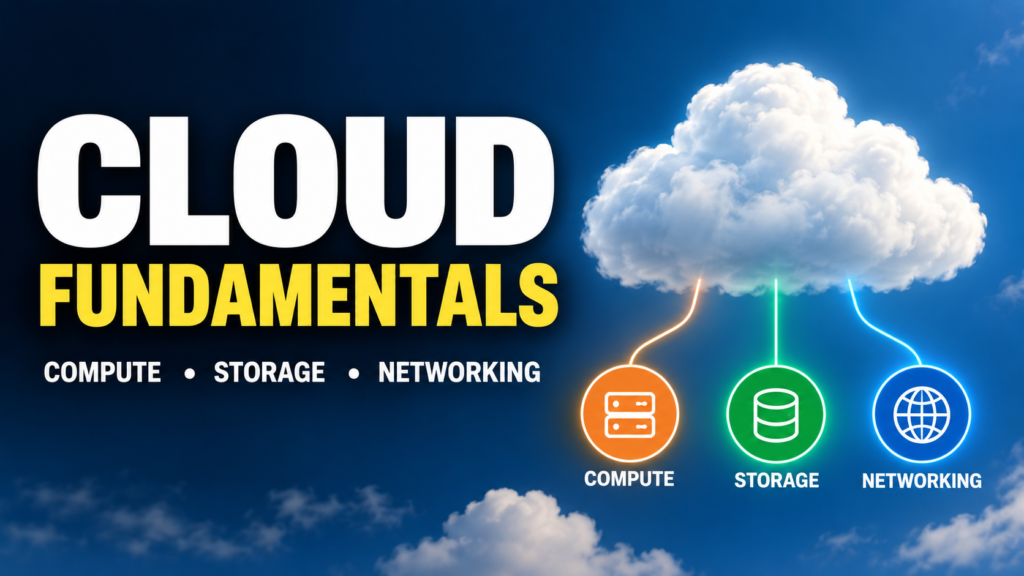
Cloud computing has become the foundation of modern software development. From websites and mobile applications to data platforms, machine learning systems, and Generative AI applications, most modern technology relies on cloud infrastructure in some form.
When people first start learning cloud computing, platforms such as AWS, Microsoft Azure, and Google Cloud can appear complicated because they offer hundreds of different services. However, underneath those services are a few fundamental building blocks.
Three of the most important are:
Compute → Storage → Networking
Understanding these concepts makes it much easier to learn any cloud platform because the service names may change, but the underlying principles remain largely the same.
What Is Cloud Computing?
Cloud computing is the delivery of computing resources over the internet.
Instead of purchasing and maintaining physical servers, storage systems, networking equipment, and data centers, organizations can obtain these resources from a cloud provider whenever they need them.
Major cloud providers include AWS, Microsoft Azure, and Google Cloud.
Traditionally, an organization might purchase servers, install them in a data center, configure networking, maintain storage devices, install operating systems, and replace hardware when it becomes outdated.
Cloud computing changes this model.
Resources can often be provisioned in minutes and scaled according to demand.
For example, imagine an e-commerce company preparing for a major sale.
During normal days, the website may receive:
10,000 visitors per day
During a major sale, traffic might suddenly increase to:
500,000 visitors per day
Instead of permanently purchasing enough hardware to handle the highest possible traffic, cloud infrastructure allows the organization to increase resources when demand rises and reduce them afterward.
This flexibility is one of the major advantages of cloud computing.
The Three Core Building Blocks of Cloud Infrastructure
Almost every cloud application depends on three fundamental infrastructure components:
Compute
Provides the processing power required to run applications.
Storage
Stores application files, databases, datasets, backups, logs, images, videos, and other information.
Networking
Allows applications, servers, databases, users, and services to communicate securely.
A simplified architecture looks like this:
User → Network → Compute → Storage
Consider a simple web application.
A user opens the application from a browser.
The request travels across the network to a cloud server.
The server performs the required computation.
The application may retrieve information from storage or a database.
The result is then returned to the user through the network.
Let’s understand each component in detail.
Understanding Compute
Compute refers to the processing resources used to execute applications and workloads.
Every application requires computing power.
For example, compute resources may be required to:
-
Run a website
-
Execute backend application code
-
Process API requests
-
Run automation tests
-
Analyze large datasets
-
Train machine learning models
-
Perform AI inference
-
Run containers
-
Process background jobs
At the hardware level, compute primarily involves resources such as:
CPU + Memory + GPU
Different workloads require different combinations of these resources.
A small website may require only a few CPU cores and a small amount of memory.
A machine learning training workload may require powerful GPUs and large amounts of memory.
Cloud providers allow organizations to select computing resources based on their workload.
Virtual Machines
One of the most common forms of cloud compute is the Virtual Machine (VM).
A virtual machine behaves much like a physical computer.
It can have:
-
CPU
-
Memory
-
Disk
-
Operating system
-
Network configuration
-
Installed applications
Instead of running directly on dedicated physical hardware, multiple virtual machines can run on powerful physical servers using virtualization technology.
For example:
Physical Cloud Server
→ Virtual Machine 1
→ Virtual Machine 2
→ Virtual Machine 3
→ Virtual Machine 4
Each virtual machine can operate independently.
One VM might run Linux while another runs Windows.
Popular virtual-machine services include:
| Cloud Provider | Virtual Machine Service |
|---|---|
| AWS | Amazon EC2 |
| Microsoft Azure | Azure Virtual Machines |
| Google Cloud | Compute Engine |
Virtual machines provide considerable control because engineers can configure the operating system, software, security rules, networking, and runtime environment.
However, that control also means more infrastructure management.
Containers
Containers provide another way to run applications in the cloud.
Instead of virtualizing an entire operating system, containers package an application together with the libraries and dependencies required to run it.
A container might include:
Application Code + Runtime + Libraries + Dependencies
Docker is one of the most widely used technologies for creating and running containers.
Containers are generally lightweight and portable.
An application packaged as a container can often run consistently across:
Developer Laptop → Testing Environment → Cloud Environment
This makes containers particularly useful for modern application development and microservices.
When many containers need to be deployed and managed, organizations frequently use Kubernetes.
Managed Kubernetes services include:
| Cloud Provider | Kubernetes Service |
|---|---|
| AWS | Amazon EKS |
| Microsoft Azure | Azure Kubernetes Service (AKS) |
| Google Cloud | Google Kubernetes Engine (GKE) |
Serverless Computing
Another important cloud compute model is serverless computing.
The name can be confusing because servers are still involved.
The difference is that developers do not directly provision and manage those servers.
Instead, developers deploy their application code, and the cloud platform manages much of the underlying infrastructure.
A simplified flow might be:
User Request → Serverless Function → Execute Code → Return Result
Serverless platforms can automatically allocate resources based on demand.
Examples include:
-
AWS Lambda
-
Azure Functions
-
Google Cloud Run functions
Serverless computing can be useful for:
-
API endpoints
-
Event processing
-
File processing
-
Scheduled tasks
-
Automation
-
Lightweight backend services
It can also be cost-effective for workloads that run only occasionally because billing is generally based on actual resource usage rather than continuously running servers.
Compute Scaling
One of the biggest benefits of cloud computing is the ability to scale compute resources.
Imagine an application normally needs:
2 servers
During a large marketing campaign, traffic increases dramatically and the application requires:
20 servers
Cloud infrastructure can be designed to automatically add additional compute resources.
This is commonly called autoscaling.
When traffic decreases, unnecessary resources can be removed.
For example:
Normal Traffic → 2 servers
High Traffic → 20 servers
Traffic Drops → 2 servers
This improves both application reliability and cost efficiency.
Understanding Cloud Storage
Compute resources process information, but applications also need somewhere to keep information.
That is the role of storage.
Cloud storage may contain:
-
Documents
-
Images
-
Videos
-
Application files
-
Database files
-
Backups
-
Logs
-
Machine learning datasets
-
AI training data
-
Model artifacts
-
Software packages
Cloud platforms generally provide several different types of storage because different workloads have different requirements.
Three important categories are:
Object Storage
Block Storage
File Storage
Object Storage
Object storage is designed for storing large amounts of unstructured data.
Examples include:
-
Images
-
Videos
-
PDFs
-
Log files
-
Backups
-
Data archives
-
Machine learning datasets
Instead of organizing data exactly like a traditional computer disk, object storage stores data as individual objects inside logical containers.
For example:
Bucket
→ customer-data.csv
→ product-image.jpg
→ application-log.txt
→ training-dataset.csv
→ backup.zip
Popular object-storage services include:
| Cloud Provider | Object Storage |
|---|---|
| AWS | Amazon S3 |
| Microsoft Azure | Azure Blob Storage |
| Google Cloud | Cloud Storage |
Object storage is highly scalable and can store enormous amounts of information.
For this reason, it is commonly used in data engineering, analytics, machine learning, and AI applications.
Block Storage
Block storage behaves more like a traditional hard disk attached to a computer.
Virtual machines frequently use block storage for their operating systems and application data.
For example:
Virtual Machine
↓
Attached Block Storage
The operating system sees the storage as a disk.
Typical examples include:
-
AWS Elastic Block Store (EBS)
-
Azure Managed Disks
-
Google Cloud Persistent Disk
Block storage is useful when applications require low-level disk access and predictable storage performance.
File Storage
File storage provides a familiar hierarchical structure.
For example:
Projects/
→ application/
→ documents/
→ images/
→ reports/
Multiple systems may be able to access the same shared file system.
This makes file storage useful for:
-
Shared application files
-
Content management systems
-
Enterprise applications
-
Development environments
-
Shared datasets
Cloud providers offer managed file-storage services so organizations do not necessarily have to maintain their own file servers.
Storage Durability and Availability
Cloud storage is not simply about saving files.
Cloud providers design storage systems to protect information from hardware failures.
Depending on the service and configuration, data may be replicated across multiple physical devices, data centers, or geographic locations.
For example:
Application Data
→ Storage Location A
→ Storage Location B
→ Storage Location C
If one infrastructure component fails, another copy may still be available.
However, durability, availability, backup, and disaster recovery are different concepts. Simply storing something in the cloud does not automatically mean every possible failure or accidental deletion is covered.
Organizations still need appropriate backup and recovery strategies.
Understanding Cloud Networking
Compute provides processing power.
Storage keeps information.
Networking connects everything together.
Cloud networking determines how users and cloud resources communicate.
A simplified application might look like:
Internet
↓
Load Balancer
↓
Application Servers
↓
Database
Each connection requires networking.
Cloud networking includes concepts such as:
-
IP addresses
-
Virtual networks
-
Subnets
-
Routing
-
Firewalls
-
DNS
-
Load balancing
-
Internet gateways
-
Private networking
Understanding these concepts is essential for designing secure cloud applications.
Virtual Networks
Cloud providers allow organizations to create isolated virtual networks.
AWS commonly calls this a Virtual Private Cloud (VPC).
Azure uses Virtual Network (VNet).
Google Cloud also uses Virtual Private Cloud (VPC).
Think of a virtual network as your organization’s private networking environment inside the cloud.
For example:
Cloud VPC
→ Web Servers
→ Application Servers
→ Databases
→ Internal Services
The organization can control which systems can communicate with each other and which resources can communicate with the public internet.
Public and Private Subnets
Cloud networks can be divided into smaller network segments called subnets.
A common architecture separates public-facing resources from private resources.
For example:
Internet
↓
Public Subnet
Web Server / Load Balancer
↓
Private Subnet
Application Server
↓
Private Database Subnet
Database
The database generally should not need to be directly accessible from the public internet.
Instead, only authorized application servers should communicate with it.
This type of network segmentation improves security.
IP Addresses
Devices communicating across networks use IP addresses.
Cloud resources can have:
Public IP addresses
and/or
Private IP addresses
A public IP address can enable communication over the internet.
A private IP address is generally used for communication inside a private network.
For example:
User on Internet
↓
Public IP / Load Balancer
↓
Web Application
↓
Private IP
↓
Database
Using private networking for internal services reduces unnecessary internet exposure.
Firewalls and Security Rules
Cloud networks need rules controlling which traffic is allowed.
For example, a web server might allow:
HTTPS traffic on port 443
but block unnecessary incoming connections.
A database might allow connections only from application servers.
Conceptually:
Internet → Web Server: ALLOWED
Internet → Database: BLOCKED
Application Server → Database: ALLOWED
These restrictions significantly reduce the attack surface of cloud applications.
Different cloud platforms use technologies such as firewall rules, security groups, and network security groups to implement these policies.
DNS
Users do not normally remember server IP addresses.
Instead, they use domain names such as:
example.com
The Domain Name System, or DNS, translates domain names into the network information required to locate services.
Conceptually:
example.com
↓
DNS
↓
Application IP / Load Balancer
Cloud providers offer managed DNS services that can be integrated with cloud infrastructure.
Load Balancing
Imagine an application receives thousands of requests every second.
Sending all requests to a single server may overload that server.
Instead, a load balancer distributes traffic across multiple servers.
For example:
Users
↓
Load Balancer
↙ ↓ ↘
Server 1 — Server 2 — Server 3
If additional servers are created through autoscaling, the load balancer can help distribute traffic among the available resources.
Load balancing improves scalability and availability.
How Compute, Storage, and Networking Work Together
Now let’s combine all three concepts.
Imagine an online learning platform where students watch courses.
A student opens the website.
Networking
The student’s request travels over the internet to the cloud environment.
DNS helps direct the request to the application.
A load balancer may distribute the request to an available server.
Compute
A virtual machine, container, or serverless service executes the application code.
It processes the student’s login information and determines which courses are available.
Storage
The application retrieves information such as:
-
User profile
-
Course information
-
Images
-
Videos
-
Progress information
The response then travels back through the network to the student’s browser.
Therefore:
Networking moves the request.
Compute processes the request.
Storage keeps the information.
These three components continuously work together.
Example Cloud Architecture
Consider a typical web application.
                     Internet
                        |
                        v
                       DNS
                        |
                        v
                  Load Balancer
                        |
                -----------------
                |       |       |
                v       v       v
              App 1   App 2   App 3
                \       |       /
                 \      |      /
                  v     v     v
                    Database
                        |
                        v
                  Object Storage
The architecture uses all three fundamentals.
Compute: App servers process requests.
Storage: The database and object storage keep application information.
Networking: DNS, load balancing, routing, and network rules connect the components.
How These Concepts Apply to AI Applications
Compute, storage, and networking become even more important when building AI applications.
Consider a Generative AI application.
A simplified architecture could be:
User → API → AI Application → LLM → Response
Behind this flow, several cloud resources may be involved.
Compute for AI
AI workloads may require:
-
CPUs
-
GPUs
-
Large-memory machines
-
Containers
-
Kubernetes clusters
-
Serverless services
Training large models can require enormous computing resources.
Inference also requires compute because the model must process every incoming request.
Storage for AI
AI systems may need to store:
-
Training datasets
-
Documents
-
Images
-
Embeddings
-
Model files
-
Application logs
-
User-generated content
For Retrieval-Augmented Generation (RAG), for example, documents may be stored in cloud storage while embeddings are maintained in a suitable database or vector search system.
Networking for AI
Networking connects:
User → Application → AI Service → Database → Storage
If an application uses an external AI API, networking securely connects the application with that provider.
For enterprise AI systems, private networking, encryption, access control, and network security become particularly important.
Cloud Infrastructure for Machine Learning
A machine learning workflow might look like:
Dataset
   |
   v
Cloud Storage
   |
   v
ML Training Compute
   |
   v
Trained Model
   |
   v
Model Deployment
   |
   v
API Endpoint
   |
   v
Application
Again, all three fundamentals are present.
Storage contains the training data and model artifacts.
Compute trains and runs the model.
Networking connects the application to the deployed model.
Scalability: One of the Biggest Advantages of Cloud
Cloud systems can be designed to expand as demand increases.
Suppose an AI application initially receives:
100 requests per day
Later it becomes popular and receives:
1,000,000 requests per day
A properly designed cloud architecture can scale compute resources, distribute traffic, expand storage capacity, and maintain networking performance as demand grows.
This is one reason cloud architecture is so important for modern applications.
Cloud Cost Considerations
Cloud resources are not free, and poor infrastructure decisions can become expensive.
Organizations need to monitor three major cost areas.
Compute Cost
Running large virtual machines or GPUs continuously can be expensive.
Unused compute resources should therefore be identified and optimized.
Storage Cost
Storing large amounts of data creates ongoing costs.
Older data may sometimes be moved to cheaper archival storage tiers.
Networking Cost
Network traffic can also generate charges, particularly when large amounts of data leave cloud environments or move between certain services or regions.
Therefore, good cloud architecture is not only about performance.
It is about balancing:
Performance + Availability + Security + Scalability + Cost
Compute vs Storage vs Networking
| Component | Main Purpose | Examples |
|---|---|---|
| Compute | Processes workloads | VMs, containers, serverless, GPUs |
| Storage | Stores information | Objects, files, disks |
| Networking | Connects systems | VPCs, subnets, DNS, load balancers |
| Compute Question | Where will my application run? | VM, container, function |
| Storage Question | Where will my data live? | Object, block, file storage |
| Networking Question | How will systems communicate? | Public/private networks, routing |
A simple way to remember the difference is:
Compute does the work. Storage remembers the data. Networking connects everything.
What Should Students Learn First?
When beginning cloud computing, avoid trying to memorize hundreds of individual cloud services.
Start with the concepts.
Understand:
-
What a server does
-
What a virtual machine is
-
Why containers are useful
-
What serverless computing means
-
How applications scale
-
Why different storage types exist
-
What IP addresses and DNS do
-
What virtual networks and subnets are
-
Why databases should often remain private
-
What load balancers do
-
How compute, storage, and networking interact
Once these concepts are clear, learning AWS, Azure, or Google Cloud becomes significantly easier.
You are simply learning how each provider implements the same fundamental infrastructure concepts.
Cloud computing can initially look overwhelming because modern cloud platforms contain hundreds of services. But underneath that complexity are a few fundamental ideas.
Three of the most important are:
Compute — where applications run
Storage — where information lives
Networking — how everything communicates
Whether you are deploying a simple website, building an enterprise application, creating a machine learning platform, or developing a Generative AI solution, these three building blocks remain essential.
As AI continues to become part of mainstream software development, understanding cloud infrastructure is increasingly valuable not only for cloud engineers and DevOps professionals, but also for developers, software testers, automation engineers, data professionals, and AI engineers.
The goal is not to memorize every cloud service.
The goal is to understand the architecture behind them.
Once you understand compute, storage, and networking, you have established one of the most important foundations for learning modern cloud and AI infrastructure.
Happy Learning!