

As datasets grow from MBs → GBs → TBs, traditional tools like Pandas begin to struggle:
Runs out of memory
Slow execution on large datasets
Single-core processing bottleneck
This is where Dask becomes a game-changer.
Dask allows you to:
Process large datasets that don’t fit into memory
Scale computations across multiple CPU cores or machines
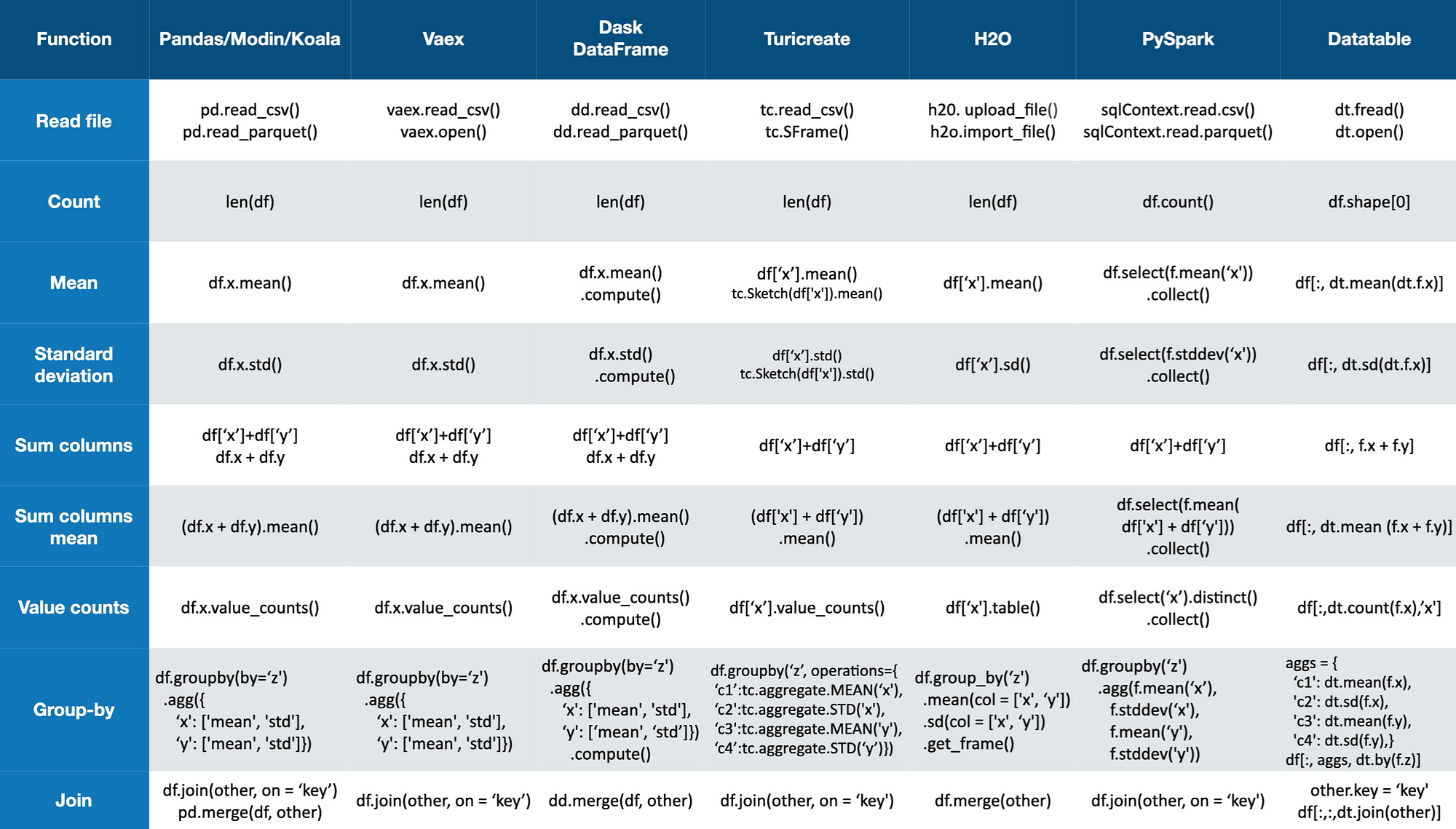
Use a Pandas-like API with minimal code changes
For data science, ML, and big-data workflows, Dask bridges the gap between Pandas and distributed computing frameworks like Spark.
What is Dask?
Dask is a parallel computing library for Python that enables:
✔ Out-of-core computation (data larger than RAM)
✔ Parallel execution using multiple cores
✔ Distributed execution across clusters
✔ Familiar APIs similar to Pandas & NumPy
Think of it as:
“Pandas + Parallelism + Scalability”
Why Not Just Use Pandas?
| Limitation | Pandas | Dask |
|---|---|---|
| Data size | Must fit in RAM | Can exceed RAM |
| CPU usage | Single core | Multi-core |
| Parallelism | ❌ | ✅ |
| Distributed | ❌ | ✅ |
| API familiarity | ⭐⭐⭐⭐⭐ | ⭐⭐⭐⭐ |
If your data fits in memory, Pandas is perfect.
If your data doesn’t, Dask is the natural next step.
Core Dask Collections
Dask provides high-level collections that mirror popular Python libraries:
1️⃣ Dask DataFrame
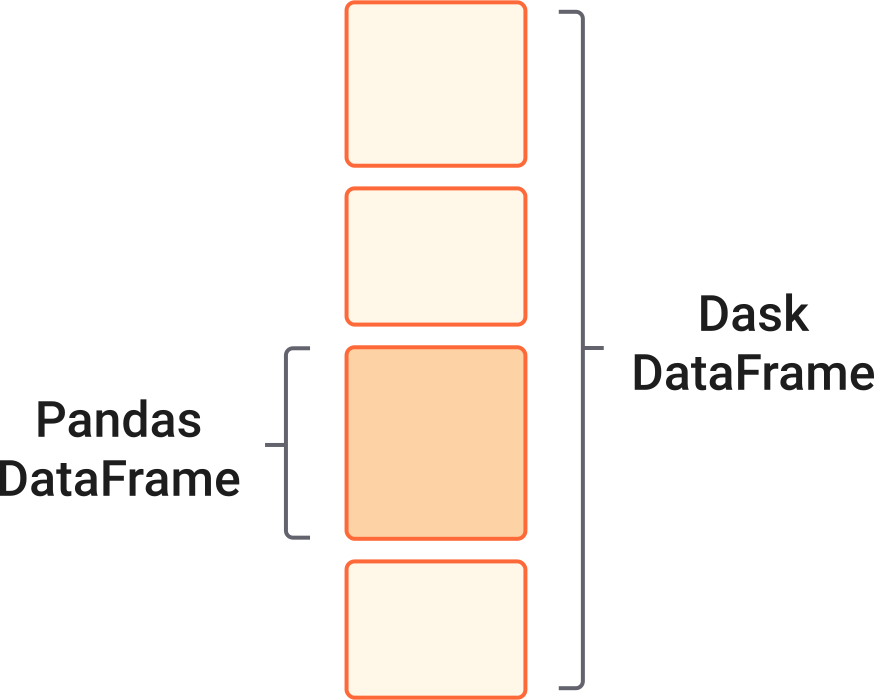
Parallel version of Pandas DataFrame
Split into many smaller Pandas DataFrames (partitions)
2️⃣ Dask Array
Parallel NumPy-like arrays
Chunked computation
3️⃣ Dask Bag
Semi-structured data (JSON, logs, text)
For data processing & feature engineering, Dask DataFrame is the most important.
Understanding Dask DataFrames
A Dask DataFrame is:
A collection of many Pandas DataFrames
Each partition is processed independently and in parallel
Big CSV File
│
├── Partition 1 (Pandas DF)
├── Partition 2 (Pandas DF)
├── Partition 3 (Pandas DF)
└── Partition N (Pandas DF)
This design enables scalable processing without loading everything at once.
Lazy Evaluation (Very Important Concept)
Unlike Pandas, Dask uses lazy evaluation.
That means:
Operations are not executed immediately
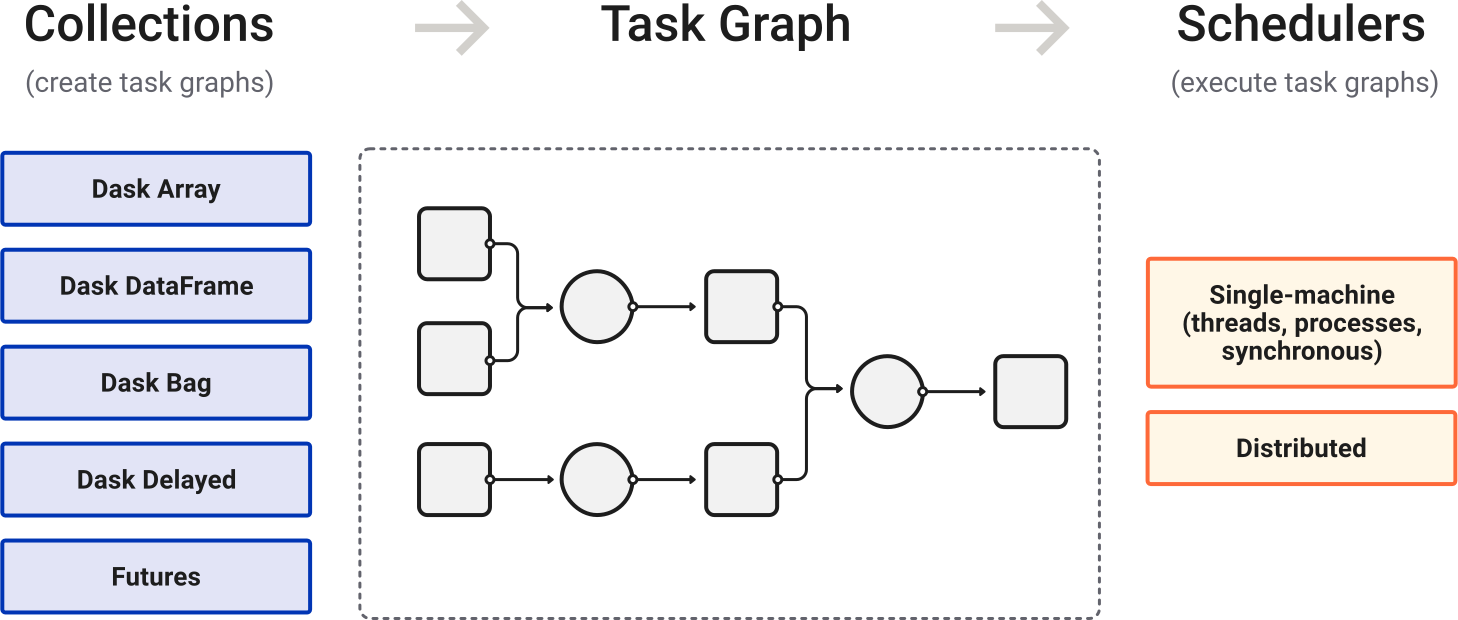
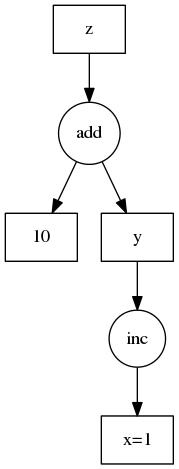
A task graph is created instead
Computation happens only when you call:
.compute().persist().head()
Why is this powerful?
✔ Optimizes execution
✔ Minimizes memory usage
✔ Enables parallel scheduling
Loading Large Data with Dask
import dask.dataframe as dd

df = dd.read_csv("large_dataset.csv")
✅ No full data loaded into memory
✅ File is split into partitions automatically
You can even read:
Multiple CSVs
Parquet files
S3 / GCS / HDFS data
Data Processing with Dask
Filtering Rows
filtered = df[df["age"] > 30]
Selecting Columns
subset = df[["name", "salary"]]
Handling Missing Values
df_filled = df.fillna(0)
Type Conversion
df["salary"] = df["salary"].astype(float)
All these look exactly like Pandas, but they run in parallel.
Feature Engineering with Dask
Feature engineering transforms raw data into ML-ready features.
Creating New Features
df["income_per_age"] = df["salary"] / df["age"]
Categorical Encoding
df_encoded = dd.get_dummies(df, columns=["city"])
Aggregations (GroupBy)
avg_salary = df.groupby("department")["salary"].mean()
⚠️ Some operations (like groupby) require data shuffling, which can be expensive — but Dask handles it efficiently.
Applying Custom Functions
Row-wise Operations
def label_age(age):
    return "Senior" if age > 50 else "Junior"

df["age_group"] = df["age"].map(label_age, meta=("age_group", "object"))
meta tells Dask the output type (important for performance).
Triggering Computation
To get actual results:
result = df.compute()
Or for performance:
df = df.persist()
| Method | Purpose |
|---|---|
.compute() | Executes and returns result |
.persist() | Keeps result in memory |
.head() | Preview data |
Dask Scheduler & Parallelism
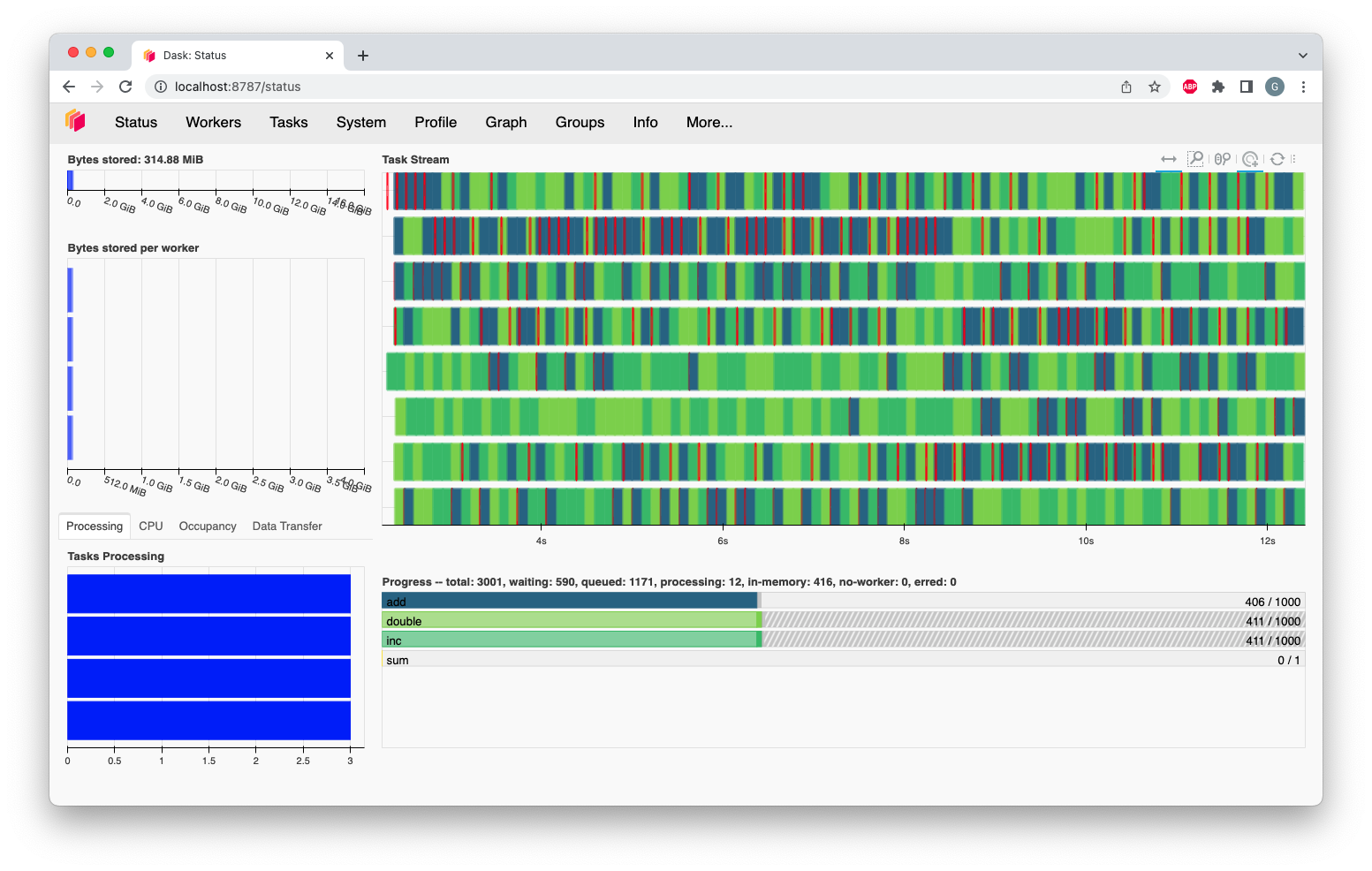
Dask uses:
Threaded scheduler (default)
Process-based scheduler
Distributed scheduler (clusters)
You can scale from:
🖥️ Laptop → 🖧 Server → ☁️ Cloud cluster
Dask vs Pandas vs Spark
| Feature | Pandas | Dask | Spark |
|---|---|---|---|
| Ease of use | ⭐⭐⭐⭐⭐ | ⭐⭐⭐⭐ | ⭐⭐ |
| Memory efficiency | ❌ | ✅ | ✅ |
| Parallelism | ❌ | ✅ | ✅ |
| Python-native | ✅ | ✅ | ❌ |
| Setup complexity | Low | Medium | High |
Dask is ideal for Python users who outgrow Pandas but don’t want Spark complexity.
Limitations & Best Practices
Limitations
Not all Pandas APIs are supported
Some operations need full data shuffle
Requires understanding of lazy execution
Best Practices
✔ Use Parquet instead of CSV
✔ Avoid row-wise apply when possible
✔ Call .persist() for reused data
✔ Tune partition sizes
When Should Students Use Dask?
Use Dask when:
Dataset is larger than RAM
Pandas code is too slow
You need parallel feature engineering
You want scalable ML pipelines in Python
Dask empowers data scientists and ML engineers to scale their workflows without abandoning Python or Pandas.
It teaches an important lesson:
Efficient data processing is not about faster hardware — it’s about smarter computation.
For students learning Data Science, Machine Learning, and Big-Data processing, Dask is a must-know tool after Pandas.