
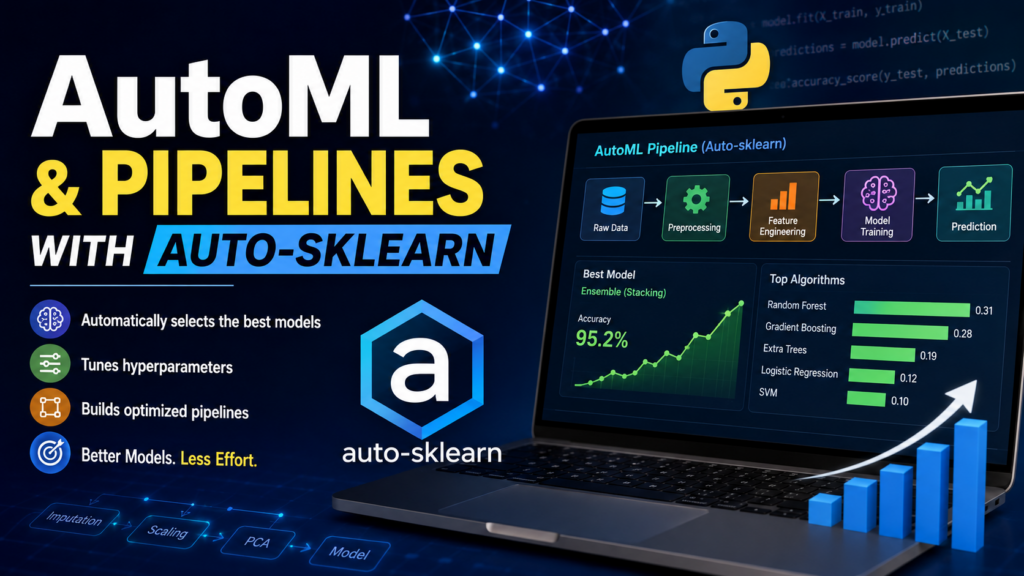
Automating Machine Learning with Intelligent Model Selection
Machine Learning can produce powerful results—but building an effective ML model often requires:
-
Selecting the right algorithm
-
Preprocessing data properly
-
Tuning hyperparameters
-
Comparing multiple models
-
Building optimized pipelines
For beginners and even experienced data scientists, this process can be time-consuming.
This is where AutoML (Automated Machine Learning) tools like Auto-sklearn become extremely useful.
What is Auto-sklearn?
Auto-sklearn is an open-source Python library built on top of scikit-learn that automatically:
✔ Selects the best machine learning algorithms
✔ Tunes hyperparameters
✔ Creates preprocessing pipelines
✔ Optimizes model performance
✔ Builds ensemble models automatically
It helps developers build high-performing ML models with minimal manual effort.
Why AutoML is Important
Traditional Machine Learning requires many decisions:
| Task | Manual ML |
|---|---|
| Choose algorithm | Manual |
| Feature preprocessing | Manual |
| Hyperparameter tuning | Manual |
| Model comparison | Manual |
| Pipeline building | Manual |
AutoML simplifies all of these steps.
With Auto-sklearn, you can often achieve strong results using just a few lines of Python code.
What is a Machine Learning Pipeline?
A pipeline is a sequence of steps used to process data and train a model.
Typical pipeline:
Raw Data
   ↓
Data Cleaning
   ↓
Feature Scaling
   ↓
Feature Selection
   ↓
Model Training
   ↓
Prediction
Auto-sklearn automatically builds and optimizes these pipelines.
How Auto-sklearn Works
Auto-sklearn combines several advanced techniques:
✔ Meta-Learning
It learns from previous datasets and remembers which algorithms worked well.
This helps it start with smarter model choices.
✔ Bayesian Optimization
Instead of randomly testing configurations, Auto-sklearn intelligently searches for better hyperparameters.
This improves efficiency and performance.
✔ Automated Pipeline Construction
It automatically combines:
-
Preprocessing methods
-
Feature engineering techniques
-
ML algorithms
-
Hyperparameter settings
into optimized pipelines.
✔ Ensemble Learning
Rather than choosing only one model, Auto-sklearn often combines multiple models together.
This usually improves prediction accuracy.
Installing Auto-sklearn
Install using pip:
pip install auto-sklearn
Sometimes installation may require additional system dependencies because Auto-sklearn uses advanced optimization libraries.
Basic Example Using Auto-sklearn
Step 1: Import Libraries
from sklearn.datasets import load_breast_cancer
from sklearn.model_selection import train_test_split
from sklearn.metrics import accuracy_score

import autosklearn.classification
Step 2: Load Dataset
data = load_breast_cancer()

X_train, X_test, y_train, y_test = train_test_split(
    data.data,
    data.target,
    test_size=0.2,
    random_state=42
)
Step 3: Create AutoML Model
automl = autosklearn.classification.AutoSklearnClassifier(
    time_left_for_this_task=120,
    per_run_time_limit=30
)
Parameters Explained
| Parameter | Meaning |
|---|---|
time_left_for_this_task |
Total optimization time |
per_run_time_limit |
Max time per model |
ensemble_size |
Number of models in ensemble |
seed |
Random seed |
Step 4: Train the Model
automl.fit(X_train, y_train)
Auto-sklearn now:
✔ Tests multiple algorithms
✔ Tunes hyperparameters
✔ Creates pipelines
✔ Builds ensembles automatically
Step 5: Make Predictions
predictions = automl.predict(X_test)

accuracy = accuracy_score(y_test, predictions)

print("Accuracy:", accuracy)
Viewing the Best Models
You can inspect the discovered pipelines:
print(automl.show_models())
This displays:
-
Algorithms selected
-
Hyperparameters
-
Ensemble weights
-
Pipeline details
Algorithms Auto-sklearn Can Try
Auto-sklearn may automatically test:
| Algorithm | Purpose |
|---|---|
| Random Forest | Tree-based learning |
| SVM | Classification |
| Logistic Regression | Linear classification |
| Gradient Boosting | Powerful boosting |
| KNN | Similarity-based learning |
| AdaBoost | Ensemble boosting |
| Decision Trees | Rule-based learning |
And many more.
Automatic Preprocessing
Auto-sklearn can automatically apply:
| Technique | Purpose |
|---|---|
| Standard Scaling | Normalize features |
| One-Hot Encoding | Handle categorical data |
| PCA | Dimensionality reduction |
| Feature Selection | Remove weak features |
| Imputation | Fill missing values |
Benefits of Auto-sklearn
✔ Faster Model Development
Reduces manual experimentation.
✔ Beginner Friendly
Students can build strong ML models without deep expertise initially.
✔ Better Performance
Automated optimization often outperforms manually built beginner models.
✔ Saves Time
Instead of trying dozens of configurations manually, Auto-sklearn automates the process.
✔ Excellent for Prototyping
Quickly test whether a dataset has predictive potential.
Limitations of Auto-sklearn
Despite its advantages, AutoML is not perfect.
❌ Computationally Expensive
Testing many models can take time and CPU resources.
❌ Less Interpretability
Complex ensembles may be harder to understand.
❌ Not a Replacement for ML Knowledge
Understanding:
-
Data quality
-
Feature engineering
-
Evaluation metrics
-
Bias and variance
is still important.
Classification vs Regression
Auto-sklearn supports both.
Classification Example
autosklearn.classification.AutoSklearnClassifier()
Used for:
-
Spam detection
-
Disease prediction
-
Fraud detection
Regression Example
autosklearn.regression.AutoSklearnRegressor()
Used for:
-
Price prediction
-
Sales forecasting
-
Demand estimation
AutoML Workflow Summary
Dataset
   ↓
Auto-sklearn
   ↓
Tries Multiple Pipelines
   ↓
Tunes Hyperparameters
   ↓
Selects Best Models
   ↓
Creates Ensemble
   ↓
Final Optimized Model
Real-World Applications
Auto-sklearn can be used in:
| Industry | Example |
|---|---|
| Healthcare | Disease prediction |
| Finance | Fraud detection |
| Retail | Customer churn prediction |
| Marketing | Lead scoring |
| Education | Student performance analysis |
| Manufacturing | Predictive maintenance |
Auto-sklearn vs Traditional ML
| Feature | Traditional ML | Auto-sklearn |
|---|---|---|
| Algorithm Selection | Manual | Automatic |
| Hyperparameter Tuning | Manual | Automatic |
| Pipeline Creation | Manual | Automatic |
| Ensemble Building | Manual | Automatic |
| Development Speed | Slower | Faster |
When Should You Use Auto-sklearn?
Use Auto-sklearn when:
✔ You want fast experimentation
✔ You are learning ML
✔ You need quick prototypes
✔ You want baseline models quickly
✔ You want automated optimization
Avoid relying entirely on AutoML when:
❌ Interpretability is critical
❌ Domain-specific feature engineering is required
❌ Computational resources are limited
AutoML is transforming the way Machine Learning models are built.
Tools like Auto-sklearn make advanced ML techniques more accessible by automating:
-
Model selection
-
Hyperparameter tuning
-
Pipeline optimization
-
Ensemble creation
For students and beginners, Auto-sklearn is an excellent way to:
✔ Learn ML workflows
✔ Build high-performing models quickly
✔ Understand automated optimization techniques
✔ Experiment with real-world datasets
As AI continues evolving, AutoML tools will become even more important in practical machine learning development.
Happy Learning!